

Project Zomboid Build 42.21 Unstable Released: Key Changes and How to Play
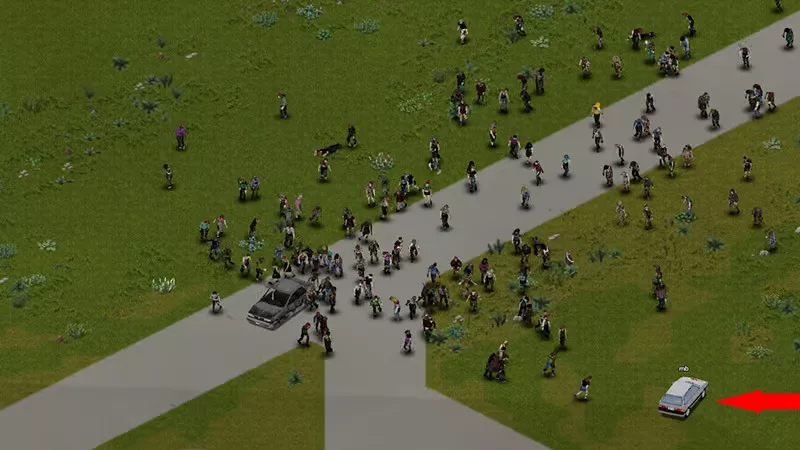
The developers at The Indie Stone have officially released Project Zomboid Build 42.21. This serves as the first incremental update following the stable release of Build 42. Currently, the update is available exclusively for testing on the Unstable branch via Steam. This release focuses on addressing critical bugs, refining existing mechanics, and introducing minor gameplay adjustments intended to improve the overall "quality of survival" for players navigating the zombie apocalypse.
Major Fixes and Gameplay Adjustments
One of the most significant technical improvements in Build 42.21 is the fix for a persistent issue where zombies would disappear when a player re-entered a specific "chunk" of the game world. This bug was particularly disruptive in high-population scenarios and affected both Single Player and Multiplayer modes. Additionally, the team has addressed the issue of zombie duplication within Multiplayer environments.
The update also introduces refinements to the visual and environmental interaction of the new XXL trees. Following community feedback regarding visibility issues, the cutaway behavior for these massive trees has been improved for players operating vehicles. Furthermore, these trees will no longer obscure houses or furniture that overhang them, and their transparency settings have been adjusted to ensure better visibility for the player. Another notable mechanical change is that Explosives will now function correctly when used in basements.
Balance and Survival Mechanics
The developers have implemented several balance changes to streamline survival and crafting:
- The Welder occupation now grants players starting recipes for Welding instead of Blacksmithing.
- A significant expansion of liquid container utility allows 86 new types of containers to be used for water purification in compatible ovens.
- Washing machines can now be used to clean dirty rags, strips, and bandages.
- Food preservation mechanics have been updated: refrigerators and freezers will now gradually increase in temperature on the day electricity is cut off, and the cooling effect is now correctly applied to food items stored inside bags within these appliances.
- Antibiotics can now be packaged using the "pack in box" crafting recipe.
Multiplayer, Split-Screen, and Technical Updates
For those playing in Multiplayer, the update includes an expanded anti-cheat system designed to prevent various exploits in Safehouses. The server browser has also been updated to display the date of the last wipe (last wipe) rather than just the last restart. Additionally, a critical Steam authentication exploit that allowed players to bypass SteamID bans has been resolved.
Players using the Split-Screen mode will see improvements in stability and accuracy, including fixes for incorrect book status reading, XP boost synchronization, and a crash that occurred when two players shared a moving vehicle. Other technical improvements include better player pathfinding to avoid trampling crops and improved synchronization for Z-level desync issues.
How to Access the Unstable Build
To participate in testing Build 42.21 Unstable, follow these steps within your Steam client:
- Right-click Project Zomboid in your library.
- Select the Properties menu.
- Navigate to the Game Versions & Betas tab and select Unstable from the dropdown menu.
The Indie Stone notes that while existing savegames from Build 42.20.4 should remain unaffected, it is highly recommended that players manually back up their save files before attempting to play on the Unstable branch to prevent data loss during testing.
Флешка
