

MSI Crosshair 16 HX E14WFK review: Core gaming without the extras
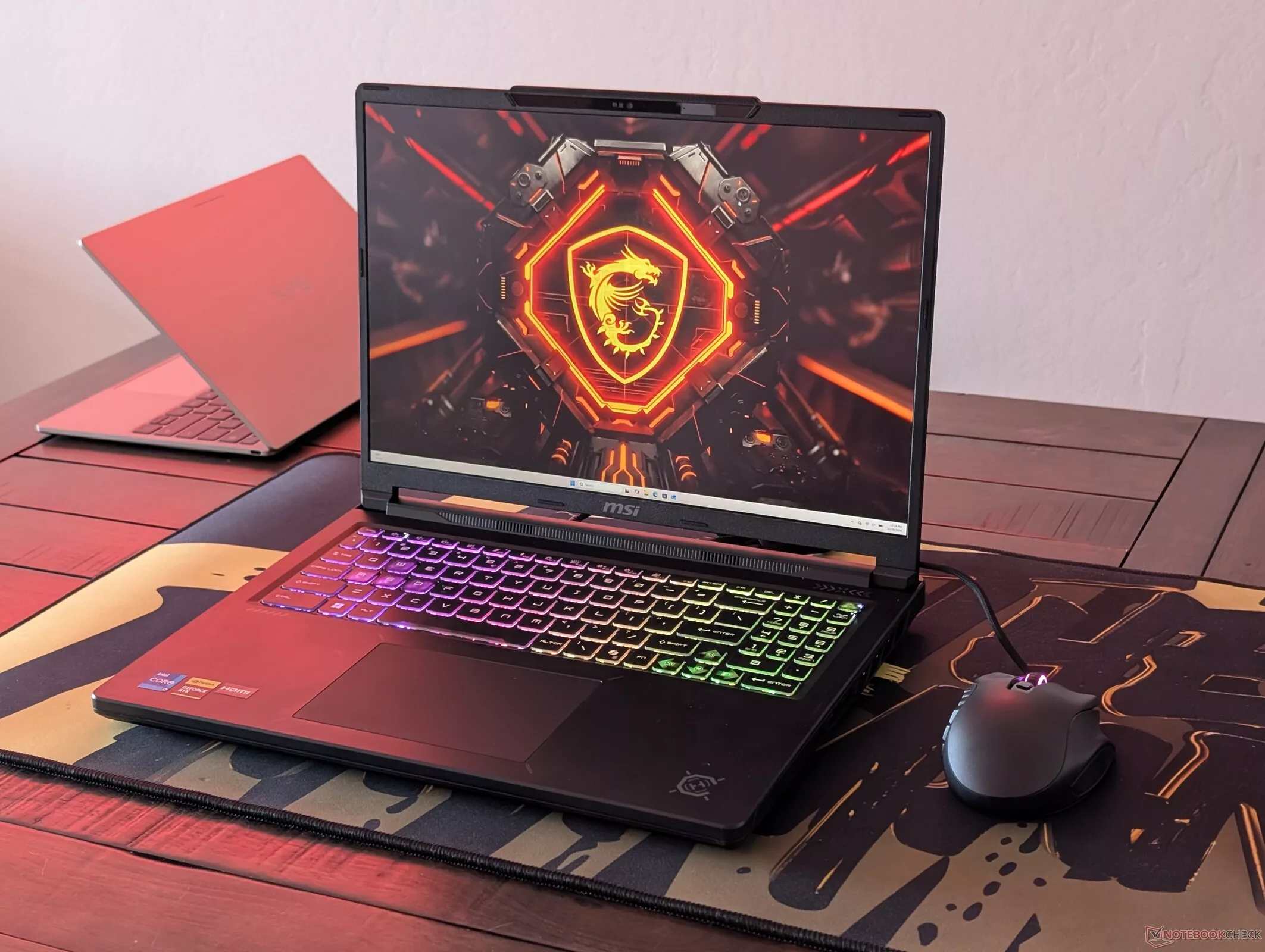
The 2026 MSI Crosshair 16 HX is a study in strategic compromises. While it introduces a redesigned, thinner, and lighter chassis compared to its 2025 predecessor, it achieves this by trimming the fat in areas that might not matter to every gamer. Most notably, MSI has swapped the high-end Arrow Lake-HX processors for the previous generation's Raptor Lake-HX chips. While this might sound like a step backward, in the budget-to-midrange segment where the Crosshair 16 operates, the GPU is often the primary bottleneck, making this a calculated move to keep costs and weight in check without sacrificing the core gaming experience.
At first glance, the Crosshair 16 HX E14WFK might seem like a minor evolution, but the internal changes are significant. The new shell is approximately 10% lighter and 8% thinner than the 2025 model, making it more portable. However, this reduction in bulk comes with trade-offs: the battery capacity has been reduced from 90 Wh to 80 Wh, and the move from enthusiast-level Core Ultra 9 275HX options to the midrange Core i7-14650HX reflects a shift toward a more balanced, cost-effective gaming machine. This decision is particularly logical given that the device's graphics capabilities max out at the NVIDIA GeForce RTX 5070, meaning the CPU is unlikely to be the limiting factor in most modern titles.
Display and Build: Quality over Luxuries
In an era where OLED is becoming the standard for high-end laptops, MSI has chosen to stick with a high-quality IPS panel for the Crosshair 16 series. This 16-inch QHD+ (2560 x 1600) display features a 240 Hz refresh rate and covers 98.5% of the Display P3 color gamut, making it a standout for its class. Unlike many budget IPS panels that struggle with color accuracy, this one offers deep colors and very fast response times, making it excellent for fast-paced gaming. However, users should expect some minor backlight bleeding in the corners and a slightly grainier matte finish compared to glossy OLED alternatives.
While the display and core performance are solid, the Crosshair 16 HX is notably stripped of several 'luxury' features found in more expensive tiers. It lacks HDR support, G-Sync, Advanced Optimus, and a touchscreen. Even the physical build prioritizes utility over aesthetics, utilizing plastic surfaces that are prone to fingerprints and omitting premium metal finishes. It is a machine designed for those who want the raw performance of a 115 W RTX 50-series GPU without paying the premium for bells and whistles that don't directly impact frame rates.
Performance: The 115 W Advantage
The heart of our test unit is the Intel Core i7-14650HX paired with an NVIDIA GeForce RTX 5060 Laptop GPU. A key detail for performance enthusiasts is the 115 W TGP (Total Graphics Power) of the RTX 5060. In our testing, this configuration performed up to 10% faster than the average laptop equipped with the same GPU, thanks to the higher power limit. In benchmarks like 3DMark Time Spy, the device delivered a score of 13,088, outperforming the average RTX 5060 laptop which sits at 55.3% of the performance of a high-end RTX 5090 system.
When it comes to CPU-heavy tasks, the Core i7-14650HX shows its strengths in multi-threaded workloads. In Cinebench R23, it achieved a multi-core score of 25,366, which is competitive within its segment. However, in single-core performance, it trails behind some of its newer counterparts. For the majority of gamers, this is a non-issue, as the RTX 5060 remains the primary driver of performance in titles like Cyberpunk 2077 and Baldur's Gate 3, where the laptop maintained solid frame rates in various configurations.
Thermal and Practical Considerations
Performance comes with a thermal cost. During intensive gaming sessions, the laptop's surfaces can become very warm to the touch. Additionally, while the chassis is lighter, the smaller 80 Wh battery means users should expect average battery life, especially when pushing the power-hungry CPU. On the plus side, the device remains highly serviceable, featuring two accessible SODIMM slots for RAM and two M.2 2280 PCIe slots for storage, allowing for easier upgrades than many modern, soldered-down competitors.
Gaming Performance and Power Consumption
The MSI Crosshair 16 HX E14WFK delivers solid gaming performance for its class, particularly when paired with the NVIDIA GeForce RTX 5060 Laptop GPU. In Cyberpunk 2077 at 1080p Ultra settings, the system achieved an average of 100 fps. However, performance scales significantly with resolution and settings: at 1440p Extreme with Ray Tracing enabled, the frame rate drops to 12 fps, while enabling DLSS at the same resolution improves this to 18 fps. In comparison, a high-end Razer Blade 16 2025 with an RTX 5090 delivers 75 fps in the same 1080p scenario, highlighting the gap between midrange and flagship hardware.
While the gaming performance is respectable, the power efficiency is a notable drawback. The system is quite demanding for its segment, largely driven by the Intel Core i7-14650HX. In Cyberpunk 2077 (1080p Ultra), the laptop consumed an average of 246 W, whereas a competitor like the Lenovo Legion 7 16 AGP11 with an AMD Ryzen AI 9 HX 470 and the same RTX 5060 averaged only 160.3 W. Under heavy stress tests (Prime95 + FurMark), the total system power consumption can peak at 261 W.
Thermal Management and Noise
Thermal performance is a mixed bag. The CPU can reach temperatures of up to 97 °C during Prime95 stress tests, though it typically throttles down to 3.5 GHz and 130 W to maintain a core temperature around 87 °C. The GPU maintains a steady 112 W in Performance mode. Regarding surface temperatures, the palmrest and touchpad remain cool to the touch (max 29.6 °C), but the bottom of the chassis heats up significantly, reaching up to 59 °C under load—well above the class average of 43.2 °C.
Fan noise is directly tied to the MSI Center profiles. In Cyberpunk 2077, noise levels averaged 49.9 dB(A) in Balanced mode, 53.6 dB(A) in Performance mode, and 58.6 dB(A) in Apex mode. While the noise levels are audible, they are typical for a gaming laptop under heavy load.
Audio and Battery Life
The audio experience is a weak point. The speakers are relatively quiet, peaking at under 80 dB(A), and show a significant deficit in bass compared to the class median (8.4% lower). In a direct comparison, the MacBook Pro 16 (2021) significantly outperforms this MSI model in loudness and bass response.
Battery life is modest. During WiFi web surfing, the laptop provided roughly 6 hours of runtime when using the iGPU mode. While decent for a gaming machine, it remains shorter than many competitors in the same category.
Гика
