
Stylish Wi-Fi with minor flaws: Huawei WiFi Mesh X3 Pro analysis
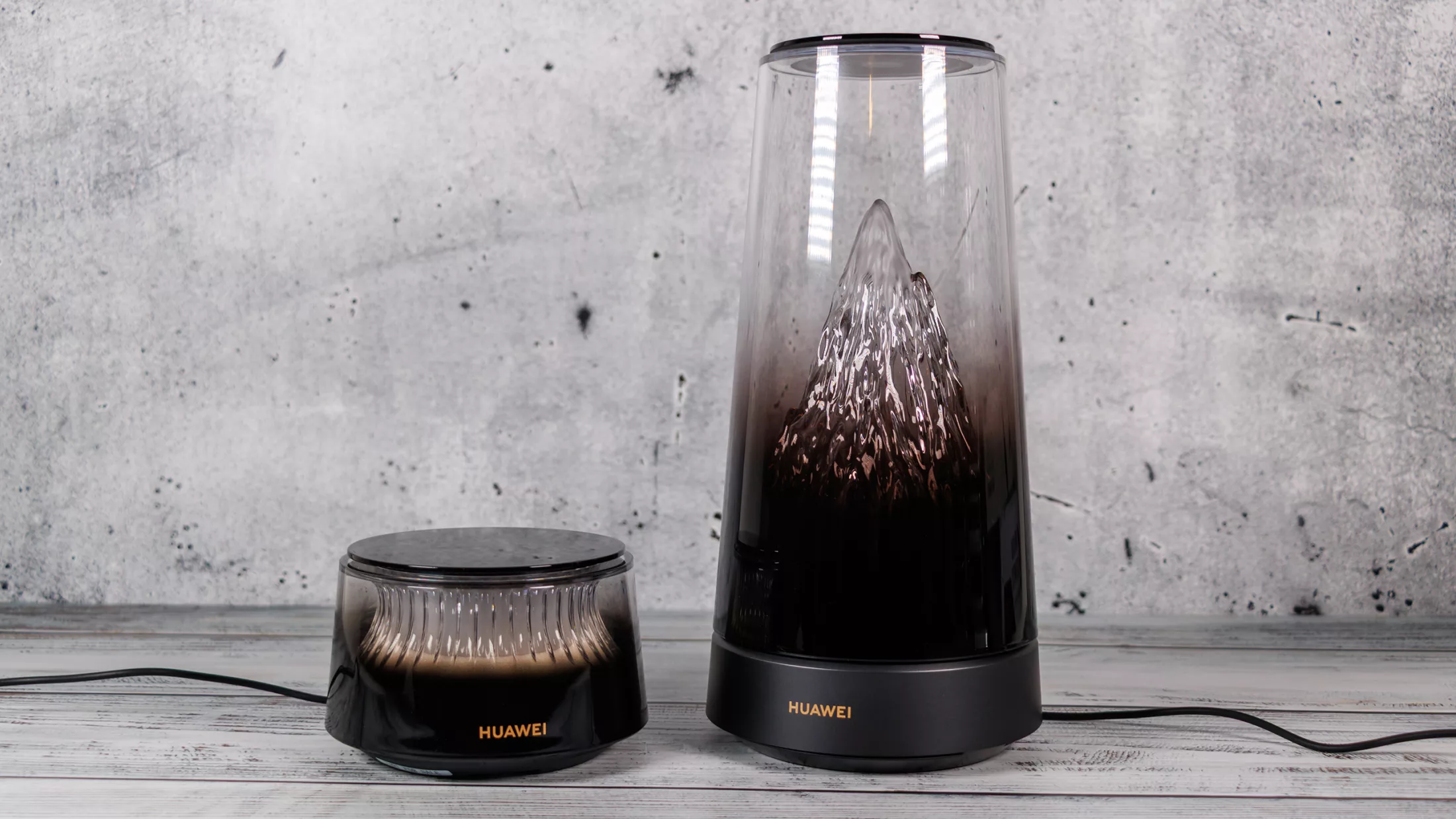
With the WiFi Mesh X3 Pro Suite, Huawei is taking an unconventional approach to home networking. Instead of the standard, unobtrusive plastic boxes, they have created a device that functions as a piece of decor, featuring an illuminated mountain panorama. While it brings Wi-Fi 7 to the table, the system's design choices lead to significant technical trade-offs.
Design as a Core Feature
The most striking aspect of the Huawei WiFi Mesh X3 Pro is undoubtedly its aesthetics. The main router stands approximately 25 cm tall and features a transparent casing with a three-dimensional mountain massif inside. The Golden Mountain Glow system can automatically adjust its color temperature and brightness based on local sunrise/sunset times and weather conditions. Users can also manually control the lighting or turn it off via a touch interface on the top of the device.
Internally, the main unit houses six antennas (two for 2.4 GHz and four for 5 GHz), with one 5 GHz antenna integrated into the transparent metal mesh of the mountain motif. The mesh satellite follows a similar design language but is significantly more compact and features a ring-shaped light element.
Wi-Fi 7 Performance and Limitations
Technically, the system is quite capable, supporting the Wi-Fi 7 (802.11be) standard. It includes MLO (Multi-Link Operation) for simultaneous multi-band transmission and 4K-QAM for higher efficiency. In real-world testing at short range, the system achieved speeds of approximately 2 Gbps.
However, there is a major caveat: Huawei has implemented Wi-Fi 7 only on the 2.4 and 5 GHz bands. The system lacks support for the 6 GHz band and the 320 MHz channels that define the full potential of the Wi-Fi 7 standard. This omission limits the maximum achievable throughput compared to tri-band competitors.
Connectivity and Software
The hardware interface is somewhat limited. The main router provides two 2.5 Gbps WAN/LAN ports, which is excellent for high-speed internet, but this leaves only one port available for wired devices once the modem is connected. The satellite only offers a single Gigabit Ethernet port. Notably, there is no USB interface, meaning you cannot directly connect network-attached storage (NAS) or printers.
Management is handled via the Huawei AI Life app, which simplifies setup and offers essential features like parental controls and network diagnostics. However, power users might find the lack of advanced networking options—such as DynDNS or integrated VPN server functionality (OpenVPN/WireGuard)—to be a drawback.
Thermal and Power Efficiency
To manage heat, Huawei utilizes an active Shark-Fin cooling system. Despite the active cooling, the device remains virtually silent during normal operation, with noise levels being imperceptible even when listening closely. Surface temperatures remain stable at under 30 °C. The system is also highly efficient, consuming between 3.40 and 6.46 W at idle with the lighting enabled.
Гика
