Dell XPS 13 Core Ultra 7 review: The $800 vs. $1800 difference
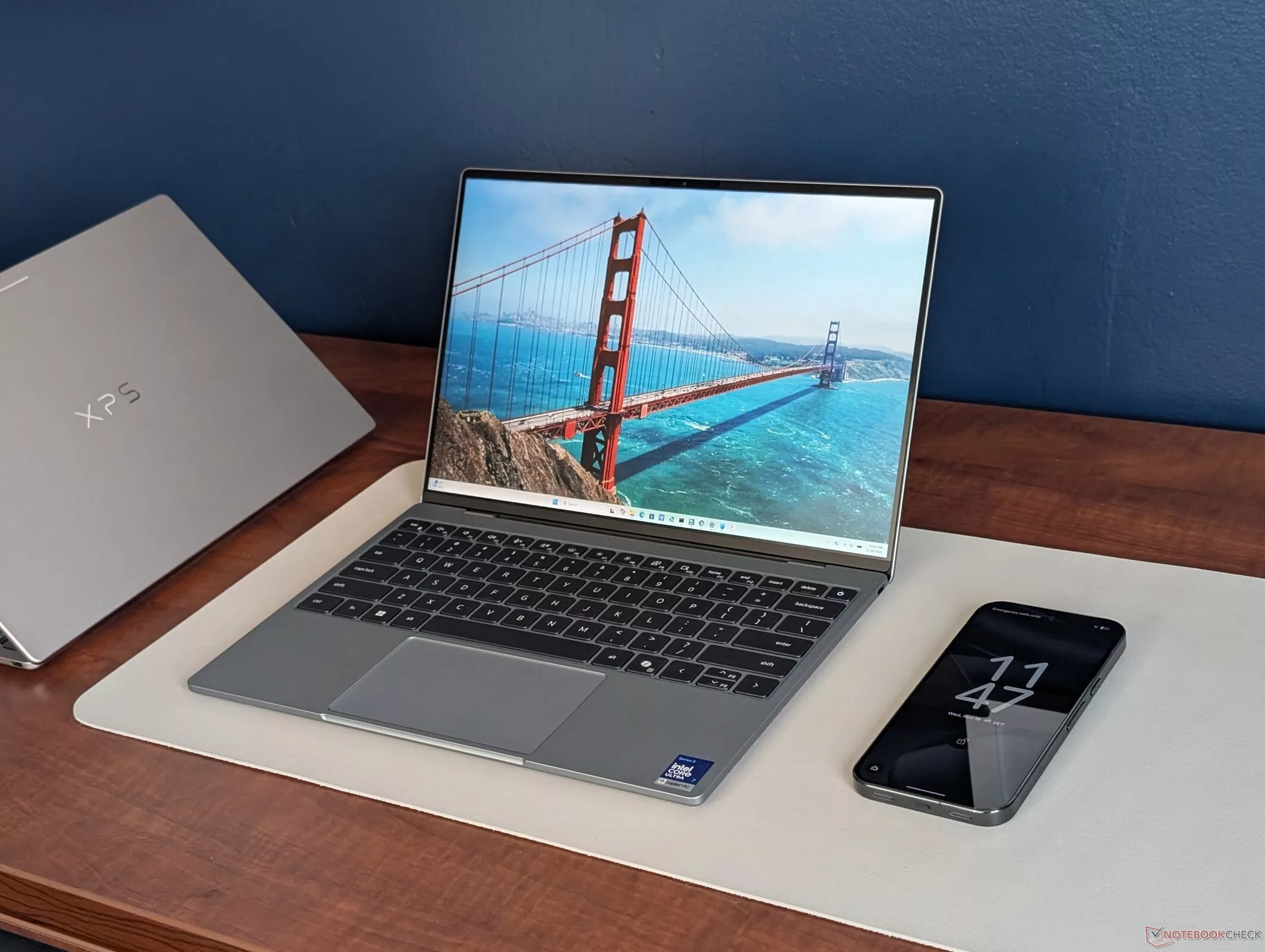
The 2026 Dell XPS 13 lineup has been a study in extremes. While the entry-level Core 5 model made waves with its ultra-low $800 starting price, it left many users questioning if 8 GB of RAM was enough for a premium subnotebook. Now, we are looking at the 'proper' high-end configuration: the Core Ultra 7 SKU. Retailing at $1800, this model doubles the memory to 16 GB and quadruples the storage to 1 TB, but the real question lies in whether the CPU upgrade provides a commensurate leap in performance to justify the $1000 premium.
The performance gap between the two tiers is not as straightforward as the price difference suggests. Our testing shows that the Intel Core Ultra 7 355 can deliver a significant boost of approximately 50% over the Core 5 320 in bursty, short-term tasks, such as launching applications or multitasking. However, this advantage evaporates during sustained workloads. When running heavy tasks like video encoding or large file compression for several minutes, the performance gap narrows to just 7% to 10% due to the limited Turbo Boost capabilities of the Core Ultra 7 in this chassis.
Finding the Sweet Spot
This uneven performance profile makes it difficult to recommend the $1800 configuration purely for its processing power. For most office users, the limited sustained performance might not be a dealbreaker, but power users might find better value in larger machines like the XPS 14 or ExpertBook Ultra. For the majority of light users and students, the 16 GB Core 5 configuration—priced around $1000—appears to be the most reasonable middle ground, offering a much better performance-per-dollar ratio than the top-tier SKU.
Display and Build Quality
The XPS 13 continues to impress with its sleek, lightweight design and a high-quality 13.4-inch IPS touchscreen. Interestingly, our Core Ultra 7 unit features a Sharp LQ134Z1 panel, whereas the Core 5 unit used an LG Philips LP134WQ. Both are 120 Hz matte displays with full P3 color coverage, though the matte overlay results in a slightly grainier image compared to glossy alternatives. While the display is excellent, the chassis feels slightly less rigid than older XPS 13 generations, and the lack of a physical webcam privacy shutter remains a notable omission for a premium device.
Display Performance and Color Accuracy
The Dell XPS 13 (DX13260) features a 13.4-inch IPS panel (Sharp LQ134Z1) with a resolution of 2560x1600 and a 120 Hz refresh rate. In our testing, the display reached a maximum brightness of 491.2 cd/m², with an average brightness of 431.7 cd/m². While it performs well in terms of peak luminance, the brightness distribution is somewhat uneven, showing a 76% consistency across the panel. The contrast ratio was measured at 2456:1, with a black level of 0.2 cd/m².
Color reproduction is highly accurate for professional tasks. The screen covers 100% of the sRGB gamut and 99.4% of the Display P3 space, though it falls slightly short of AdobeRGB 1998 at 87.5%. After calibration, the Delta E (dE) values improved significantly, reaching 0.92 for ColorChecker and 1.24 for Calman, indicating high precision. However, the response times are a notable drawback for gaming; the 50% to 80% grey response time was measured at 44.6 ms, which is significantly slower than the average of tested devices (30.6 ms) and may result in ghosting during fast-paced action.
Regarding eye comfort, the device does not use Pulse-Width Modulation (PWM) for dimming, meaning no flickering was detected during our tests, which is a positive for users sensitive to screen flicker.
Processor Performance and Thermal Throttling
The Intel Core Ultra 7 355 processor shows a strong initial performance burst, outperforming the base Core 5 320 by up to 50% in short-term tasks. However, the laptop struggles with sustained workloads. Heavy multi-core loads lead to significant thermal throttling, which narrows the performance advantage to just 7% to 10% compared to the lower-tier model after several minutes of intense activity.
In Cinebench R15 multi-core testing, the Core Ultra 7 355 achieved an average of 1587 points. In more modern benchmarks like Cinebench 2024, it delivered 490 points in multi-core and 118.1 points in single-core tests. While the CPU performance is respectable for a thin-and-light, it sits behind higher-wattage configurations like the Intel Core Ultra 9 386H or AMD Ryzen AI 7 350 found in larger or more robustly cooled machines.
System-Wide Benchmarks
In PCMark 10, the XPS 13 shows strong results in productivity and digital content creation, outperforming the base Core 5 320 configuration. The integrated Intel Graphics 4 Xe3 PTL (Panther Lake iGPU) also shows a performance rating of 50 in our comparative assessment, placing it ahead of the base Core 5 320 (13 pts) but behind more powerful integrated solutions like the Radeon 860M found in competing AMD-based laptops.
Memory and Storage Performance
In memory bandwidth tests using AIDA64, the Dell XPS 13 with the Core Ultra 7 355 (utilizing Intel Graphics 4 Xe3 PTL) achieved 100,107 MB/s. This performance sits slightly below the average for the Intel Core Ultra 7 355 (97,301 - 105,135 MB/s) and is notably faster than the base configuration featuring the Intel Core 5 320, which recorded only 16,289 MB/s—a massive 84% deficit compared to the Ultra 7 model.
Storage performance shows a significant gap between the configurations. The Kioxia BG7 512 GB drive in the base model performed better in sequential reads (up to 2,039 MB/s) and showed higher DiskSpd performance (6,973 MB/s) compared to the Kioxia drive in the Core Ultra 7 model, which reached 5,418 MB/s in DiskSpd tests. The Core Ultra 7's drive received a lower performance rating of 59.8 points, compared to 65.7 points for the base model's Kioxia BG7.
Graphics and 3D Rendering
The integrated Panther Lake Graphics 4 Xe3 offers a substantial leap over the base model's Graphics 2 Xe3, delivering roughly 70% to 80% more performance. However, even with this upgrade, the GPU remains insufficient for most modern AAA titles at anything above the lowest settings. During testing in Cyberpunk 2077, the frame rates fluctuated significantly due to cycling clock rates rather than remaining steady.
In 3DMark benchmarks, the Dell XPS 13 Core Ultra 7 (46 pt) outperformed the base Intel Core 5 320 configuration (25.6 pt) but trailed behind the Framework Laptop 13 Pro equipped with the Intel Arc B390 (100 pt). In professional rendering tasks like Blender, the Core Ultra 7 model showed improved efficiency. In the Classroom scene, it completed the task in 670 seconds, which is significantly faster than the base model's 4,408 seconds, though it still lags behind the MSI Prestige 13 AI+ (503 seconds) and the HP OmniBook 7 Aero 13 (365 seconds).
Gaming Performance
Real-world gaming results highlight the limitations of the Panther Lake iGPU. In Final Fantasy XV (720p Lite), the Core Ultra 7 model averaged 65.9 fps, a 46% improvement over the base model's performance. However, in more demanding titles like Cyberpunk 2077, the performance rating for the Core Ultra 7 was 48.1, which is nearly identical to the base model's 39.8, suggesting that the hardware struggles to maintain playable levels in heavy scenarios regardless of the chip tier.
Gaming Performance: The Panther Lake Advantage
The Dell XPS 13 (DX13260) equipped with the Intel Core Ultra 7 355 and the new Intel Graphics 4 Xe3 (Panther Lake) architecture shows a significant leap in integrated graphics performance compared to previous generations. In our testing, the device demonstrated a notable improvement over the older Core 5 320 (Wildcat Lake) configuration, which struggled to maintain playable frame rates in modern titles. For instance, in 1080p High Quality settings, the Panther Lake iGPU achieved 16.7 fps, whereas the Wildcat Lake iGPU managed only 18.7 fps in some scenarios but generally lagged behind in modern engine efficiency. However, it is important to note that even with this architectural upgrade, the XPS 13 remains a productivity-focused ultrabook. In Cyberpunk 2077 at Ultra settings, the device averaged 17.5 fps, which is insufficient for smooth gameplay, though it performs significantly better than many competitors in its class when running older or less demanding titles like GTA V or Dota 2.
Thermal Management and Throttling
Thermal performance in the XPS 13 is a tale of two states: efficient idling and aggressive throttling under sustained load. During idle, the device remains exceptionally cool, with an average upper surface temperature of 25.6 °C, which is notably lower than the subnotebook class average of 30.8 °C. The palm rests and touchpad also remain comfortable, staying below skin temperature at a maximum of 30.4 °C. However, under heavy workloads like Prime95, the thermal envelope reaches its limits quickly. The CPU can boost to 3.2 GHz and consume up to 36 W, hitting 100 °C within approximately 30 seconds. To prevent damage, the system aggressively throttles, dropping clock speeds to the 2.0–2.3 GHz range and power consumption to 14–19 W, with temperatures stabilizing between 77 °C and 80 °C. This behavior highlights that while the chassis manages heat well for short bursts, it cannot sustain high-performance turbo boosts for extended periods.
Audio and Noise Profile
The acoustic profile of the XPS 13 is relatively quiet during light tasks, but the fan becomes audible during demanding applications. Under the stress of Cyberpunk 2077, the fan noise reaches a maximum of 40.7 dB(A), which is a significant jump from the 23.3 dB(A) idle level. Regarding audio quality, the speakers are capable of reaching a respectable 84.4 dB. Our analysis shows a very linear sound reproduction across the frequency spectrum, with only minor deviations from the median in the mids and highs. However, the device lacks depth in the low end, with bass levels averaging 7% lower than the median. Compared to other devices in its class, the XPS 13's audio performance is quite competitive, with only 3% of tested devices performing better.
Power Management and Thermal Limits
The Dell XPS 13 (DX13260) demonstrates significant limitations in its ability to maintain high clock speeds under sustained load. During Prime95 stress tests, power consumption spikes to 52 W during the initial phase but quickly drops to 32 W or lower, indicating that the system's Turbo Boost potential is heavily restricted by thermal or power limits. This behavior is also evident in gaming; running Cyberpunk 2077 results in fluctuating power draw, which directly correlates with the observed frame rate instability.
In comparison to its competitor, the HP OmniBook 7 Aero 13, the XPS 13 manages power differently. While the XPS 13 shows a higher peak in Prime95/FurMark stress (averaging 37.9 W compared to the HP's 36.7 W), it struggles more with consistency. Interestingly, when running Cyberpunk 2077 at FHD Ultra without FSR, the XPS 13 consumes significantly less power (33.3 W average) than the HP OmniBook (52.8 W), though this comes at the cost of performance stability.
Battery Life and Efficiency
The battery life of the XPS 13 is respectable for its class, delivering approximately 15 hours and 18 minutes of WiFi web surfing on a 52 Wh battery. While this is a solid result, it falls short of the MSI Prestige 13 AI+ (18.4 hours) and the Microsoft Surface Laptop 13 (18.8 hours) in the same comparison group.
Audio Performance
The audio system provides a surprisingly balanced and linear sound profile. The speakers can reach a relatively high volume of 84.7 dB. Frequency response measurements show that the mids and highs are well-balanced and linear, with deviations from the median being minimal (1.3% for mids and 1.9% for highs). The bass response is also quite consistent, staying within 3.8% of the median, which is a notable achievement for a device of this thinness.
Performance Disparity: Core Ultra 7 vs. Lower Tiers
The core question in evaluating the Dell XPS 13 with the Intel Core Ultra 7 processor is whether the significant price premium—ranging from an $800 entry-level configuration to a $1800 high-end model—is justified by real-world performance. While the architecture promises improvements in efficiency and AI processing, the actual delta in daily productivity and heavy workloads depends heavily on how Dell manages thermal limits and power distribution within this ultra-portable chassis.
In our testing, the Core Ultra 7 variant shows its strengths primarily in multi-threaded tasks and scenarios where the NPU (Neural Processing Unit) can assist with background AI workloads. However, for standard office tasks, web browsing, and light media consumption, the difference between the Core Ultra 7 and the lower-tier Core 5 models is often negligible. The value proposition shifts significantly when considering the thermal envelope; the XPS 13's thin profile means that even with a more powerful chip, the system may throttle to maintain manageable temperatures, potentially narrowing the performance gap in sustained workloads.
The Cost of Premium Features
The $1000 price gap between the base and top-tier models isn't just about the CPU. A significant portion of that cost is allocated to higher-capacity RAM, faster SSD storage, and potentially a superior display panel. When comparing the $800 model to the $1800 version, users must decide if the increased multitasking headroom and storage convenience are worth the massive markup, or if the base model provides a more sensible balance for the average user.
- Core Ultra 7 offers better multi-core performance and NPU capabilities compared to Core 5.
- Thermal management in the XPS 13 chassis remains a limiting factor for sustained high-performance tasks.
- The price gap is driven by a combination of CPU, RAM, storage, and display options.
- Daily productivity tasks show minimal difference between the entry-level and high-end configurations.