

Cloud Rebuild: Windows 11 gets cloud-based recovery feature
Microsoft has introduced Cloud Rebuild, a recovery feature for Windows 11 that enables a full OS reinstallation and driver update directly from the cloud. This functionality is rolling out via the KB5127936 preview update for Windows 11 versions 25H2 and 26H2.
The core advantage of Cloud Rebuild is its independence from the local Windows installation. If a system fails to boot, users can access the Windows Recovery Environment (WinRE) and initiate the process through the Troubleshoot menu. Unlike the standard cloud download option in the Reset menu, Cloud Rebuild pulls a fresh OS image and essential drivers directly from Windows Update, making it a vital tool when local system files or drivers are too corrupted to allow a normal boot.
Data handling and administrative control
Initiating Cloud Rebuild results in a complete wipe of the primary drive, erasing all installed software, local files, and user accounts; only cloud-synced data remains. For users repurposing or selling their hardware, a 'sanitize mode' is included to ensure secure data erasure. Enterprise administrators can also trigger these rebuilds remotely using Recovery CSP, streamlining the management of large device fleets.
The process requires a functional WinRE partition and an active internet connection via Wi-Fi or Ethernet. While WinRE can utilize previously saved Wi-Fi profiles, the rebuild will fail if the necessary network drivers are not published on Windows Update.
Other updates in the preview
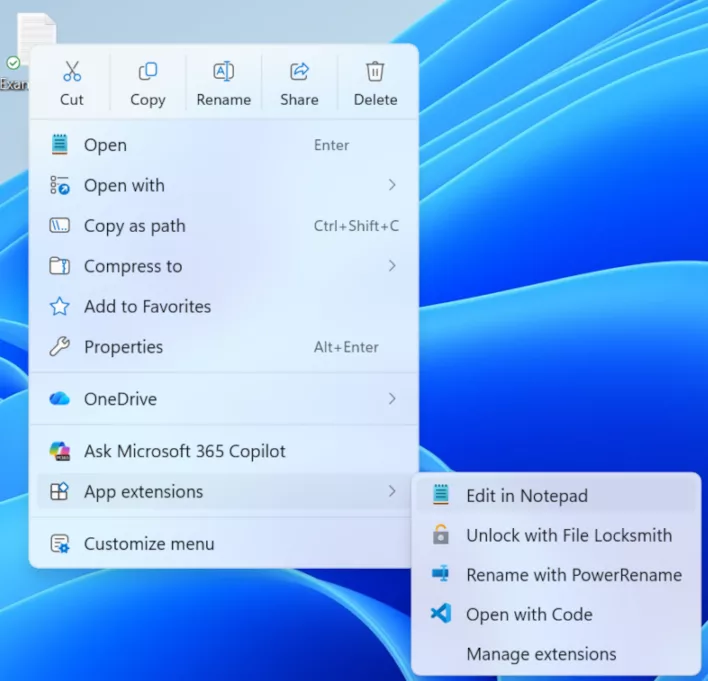
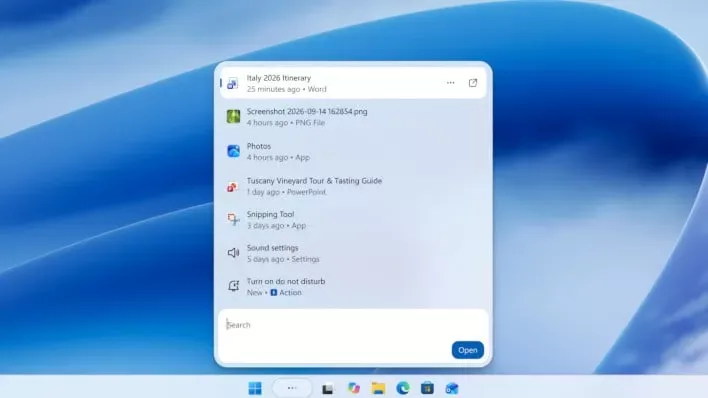
Beyond recovery tools, the October update brings several UI and functional enhancements. These include an overhauled File Explorer, a redesigned right-click context menu, and an updated Search feature with inline actions and accelerated app launching. Microsoft advises users on Windows 11 version 24H2 to upgrade to 25H2 or 26H2 as soon as possible, as non-security preview updates will no longer be provided for the older version.
Гика
