
Boox Note Air6 C hands-on review: Colorful ePaper tablet with Android multitasking
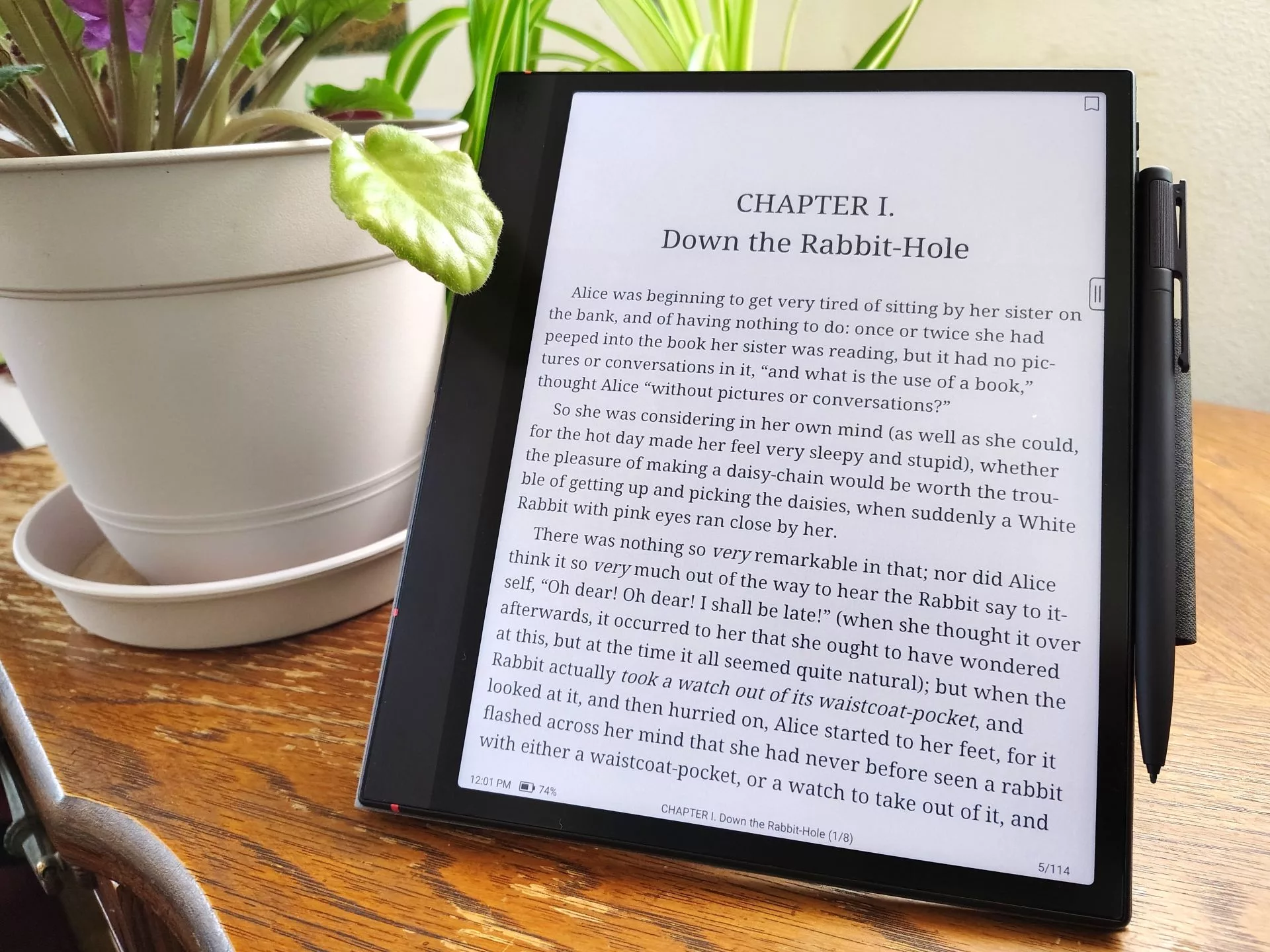
The Boox Note Air6 C is a color Android 16 e-reader with a paper-like display, making it a versatile device for reading, writing, and listening to podcasts. It combines the flexibility of an Android-based system with a color E Ink touchscreen and a dedicated stylus, catering to users who enjoy sketching ideas or taking notes while reading.
The Boox Note Air6 C delivers a fluid writing and drawing experience on its color E Ink display, supported by the magnetic-charging Pen3 stylus. Thanks to its fast CPU and 6 GB of RAM, the device can run multiple apps simultaneously, including all major e-book services. However, there are trade-offs: videos and graphics appear significantly poorer than on OLED displays, and the left-edge speakers lack depth, providing only stereo sound when held in landscape orientation.
Verdict – Colorful lightweight e-reader
On the positive side, the tablet's matte display is optimized for low eye strain, offering a more comfortable alternative to LCD and OLED displays that can trigger migraines or eye strain in some users. The device also features sunlight-readable text, high responsiveness with the stylus, and support for MicroSD cards.
Specifications
- Display: 10.3" 40 Hz Kaleido 3 E Ink (4096 colors); B/W: 2480 x 1860 (300 ppi); Color: 1240 x 930 (150 ppi)
- OS: Android 16
- System: Qualcomm 6690 + BSR GPU
- Memory: 6 GB RAM, 64 GB storage (MicroSD support up to 2 TB)
- Battery: 3,700 mAh Li-ion polymer
- Connectivity: Wi-Fi (2.4 GHz + 5 GHz), Bluetooth 6.0
- Dimensions: 225 x 192 x 5.8 mm
- Weight: 430 g
- Stylus: Boox Pen3 (magnetic charging, 4,096 pressure levels, tilt sensitivity)
Design and Performance
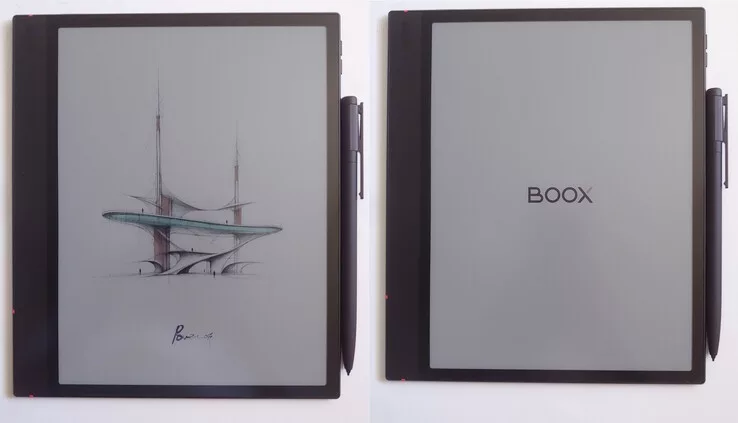
The Boox is sized like a paper pad, featuring a wide left bezel for comfortable handling. The design includes a top-mounted power button, right-side volume buttons, rear pogo pins for a keyboard, and a USB-C port on the left side alongside the microSD slot and speakers. The stylus and its magnetic case attach magnetically, with the pen recharging wirelessly when docked. While the tablet itself is thinner than the stylus, the total thickness increases once the case is attached.
In terms of raw performance, the tablet's PassMark scores (14536 for system and 7004 for CPU) place it in a performance bracket comparable to the Samsung Galaxy S23 FE.
Setup, Stores, and Apps
The setup process is straightforward and does not require a Google account, though an account is necessary to use the Boox AI Assistant. The system is relatively clutter-free, offering built-in tools like the Boox e-reader, notes, a dictionary, and a browser. Users have the flexibility to install any Android app, including those from Google Play and F-Droid, and can run them side-by-side in a multitasking environment.
Display and Settings
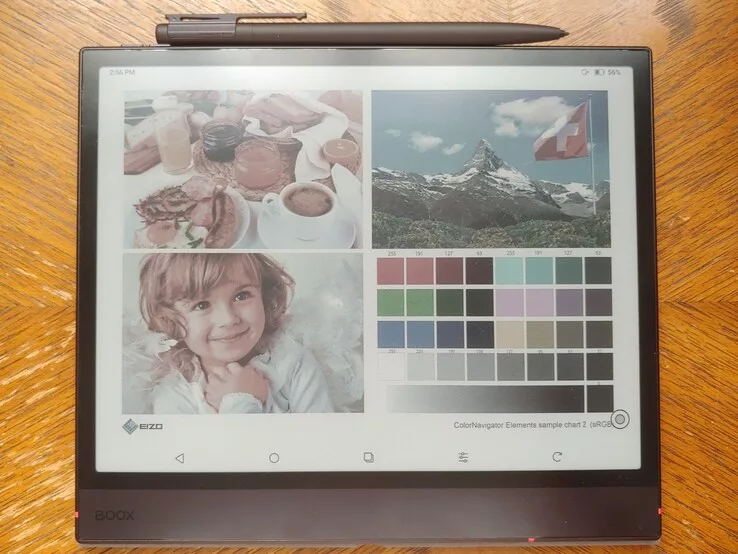
The Kaleido 3 display quality varies depending on lighting and backlight settings. While it is excellent for reading, it trails monochrome E Ink panels in contrast and whiteness. The background can appear slightly grayish compared to pure B&W displays like the Go 6 II. The device offers several refresh modes: Regal mode provides maximum text and image sharpness but with slower refresh rates, while Speed and Smooth modes improve scrolling and video performance at the cost of lower resolution and image quality.
The backlight is highly adjustable, with color temperature ranging from ~2700 K to 5800 K. Presets like 'Bright' (5800 K) and 'Soft' (4200 K) help users avoid excessive blue light at night. In daylight, the screen is perfectly legible, though photos appear somewhat muted due to the limited color gamut.
Stylus and Sound
The Pen3 stylus delivers a highly responsive, pencil-like feel, allowing for accurate fine lines and small text. The dual speakers provide adequate sound for vocals in a quiet room, but they lack bass and depth. Additionally, stereo sound is only achieved when the device is held in landscape orientation.
The Boox Note Air6 C delivers a fluid writing and drawing experience on its color E Ink display, supported by the magnetic-charging Pen3 stylus. Thanks to its fast CPU and 6 GB of RAM, the device can run multiple apps simultaneously, including all major e-book services. However, there are trade-offs: videos and graphics appear significantly poorer than on OLED displays, and the left-edge speakers lack depth, providing only stereo sound when held in landscape orientation.
Verdict – Colorful lightweight e-reader
On the positive side, the tablet's matte display is optimized for low eye strain, offering a more comfortable alternative to LCD and OLED displays that can trigger migraines or eye strain in some users. The device also features sunlight-readable text, high responsiveness with the stylus, and support for MicroSD cards.
Specifications
- Display: 10.3" 40 Hz Kaleido 3 E Ink (4096 colors); B/W: 2480 x 1860 (300 ppi); Color: 1240 x 930 (150 ppi)
- OS: Android 16
- System: Qualcomm 6690 + BSR GPU
- Memory: 6 GB RAM, 64 GB storage (MicroSD support up to 2 TB)
- Battery: 3,700 mAh Li-ion polymer
- Connectivity: Wi-Fi (2.4 GHz + 5 GHz), Bluetooth 6.0
- Dimensions: 225 x 192 x 5.8 mm
- Weight: 430 g
- Stylus: Boox Pen3 (magnetic charging, 4,096 pressure levels, tilt sensitivity)
Design and Performance
The Boox is sized like a paper pad, featuring a wide left bezel for comfortable handling. The design includes a top-mounted power button, right-side volume buttons, rear pogo pins for a keyboard, and a USB-C port on the left side alongside the microSD slot and speakers. The stylus and its magnetic case attach magnetically, with the pen recharging wirelessly when docked. While the tablet itself is thinner than the stylus, the total thickness increases once the case is attached.

In terms of raw performance, the tablet's PassMark scores (14536 for system and 7004 for CPU) place it in a performance bracket comparable to the Samsung Galaxy S23 FE.
Setup, Stores, and Apps
The setup process is straightforward and does not require a Google account, though an account is necessary to use the Boox AI Assistant. The system is relatively clutter-free, offering built-in tools like the Boox e-reader, notes, a dictionary, and a browser. Users have the flexibility to install any Android app, including those from Google Play and F-Droid, and can run them side-by-side in a multitasking environment.
Display and Settings
The Kaleido 3 display quality varies depending on lighting and backlight settings. While it is excellent for reading, the color rendering is not as vibrant as a standard tablet. The device offers several refresh modes: Regal mode provides maximum text clarity but with slower updates, while Speed and Smooth modes improve scrolling and video playback at the cost of resolution and image quality.
Battery Life
Battery runtime depends heavily on usage. Reading e-books consumes about 5% of the battery per hour. However, video playback is much more demanding, using approximately 20% of the battery per hour when the Bright-mode backlight is set to 24/32.
Гика
