
Asus Googlebook 14: Premium Hardware Held Back by Googlebook OS
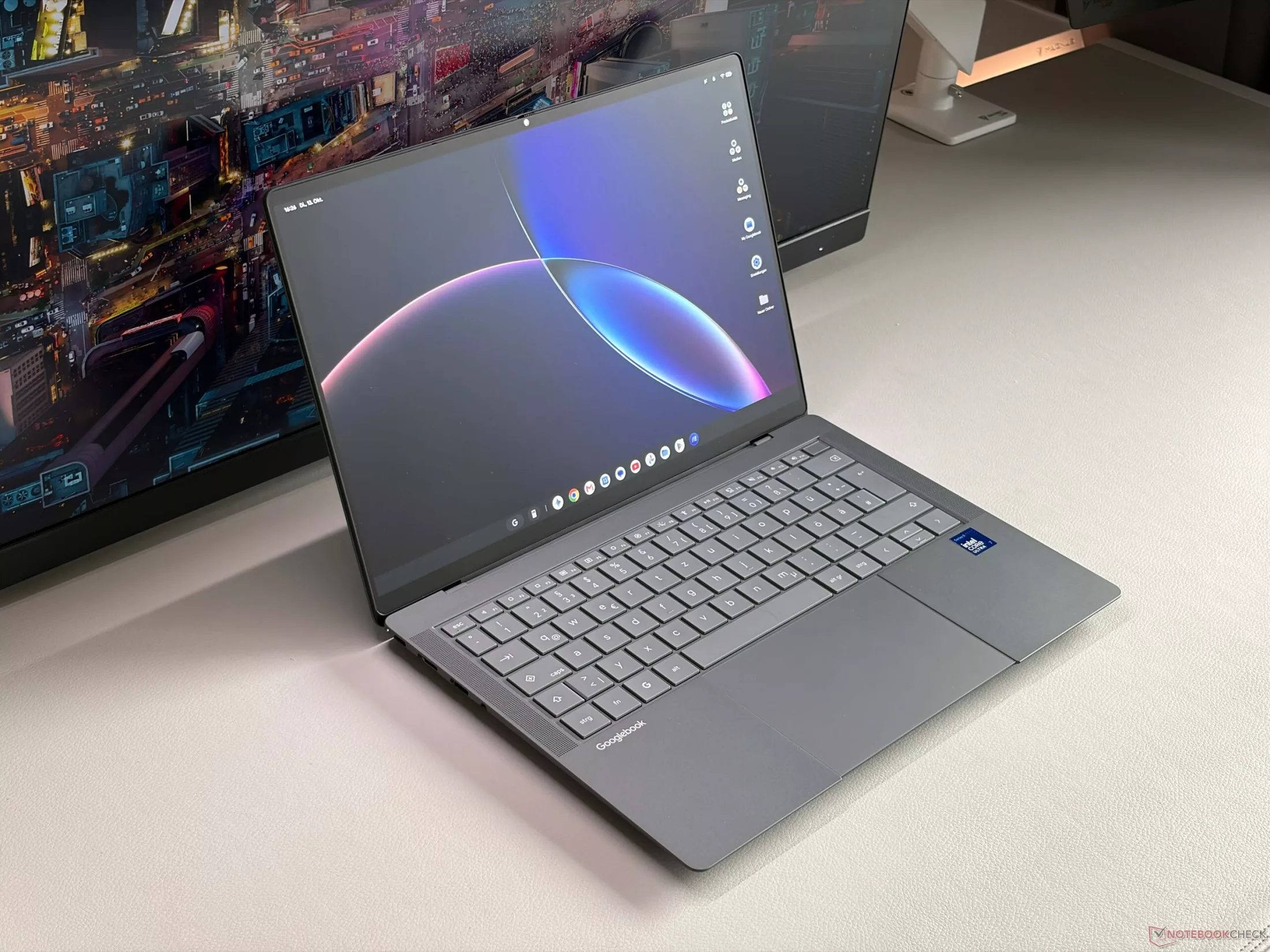
The new Asus Googlebook 14 attempts to merge the premium business chassis of the ExpertBook Ultra series with the ecosystem of Googlebook OS. While it boasts impressive specs—including a sub-1 kg weight and a matte OLED display—the device is hampered by significant software limitations that challenge its high price tag.
High-End Hardware, Limited Software
In terms of build, the Asus Googlebook 14 feels like a top-tier business machine. It features a high-quality, lightweight chassis weighing just 967g and an excellent six-speaker sound system. However, this lightness comes at a cost: the typing experience can feel slightly hollow, and some users might find the device almost too light to feel truly 'premium.'
Under the hood, the hardware is modern, featuring Intel Panther Lake processors (specifically the Core Ultra 7 355 in this unit), Wi-Fi 7, and Thunderbolt 4 connectivity alongside standard USB-A ports. The catch lies in the Googlebook OS: many Android apps are incompatible, and advanced smartphone integration features like handoff are unavailable. Additionally, the lack of 5G/LTE connectivity is a notable omission for an ultrabook in this category.
Display: OLED with Calibration Issues
The display is a 14-inch matte OLED touchscreen with a 2880 x 1800 resolution and a 120 Hz refresh rate. The matte coating is highly effective at reducing reflections in bright environments, though it can introduce a slight graininess to the image.
The primary issue with the screen is software-driven. Currently, Googlebook OS operates in sRGB mode, which severely restricts the color gamut (covering only about 71% of AdobeRGB and sRGB). This results in colors appearing less vibrant than expected. Furthermore, the black levels are slightly elevated, which reduces the characteristic high contrast of an OLED panel. On the positive side, the response times are exceptionally fast, making it great for motion-heavy content.
Performance and Value Proposition
Despite being equipped with the Intel Core Ultra 7 355, the system's real-world potential is constrained by a low sustained TDP (around 18W) and software barriers. Testing suggests that upgrading to the more expensive Core Ultra 7 SKU—which costs roughly $300 more than the Core Ultra 5 version—is not justifiable, as the software limitations prevent the extra power from being effectively utilized.
Battery life is decent but remains below average, providing approximately 13 hours of web browsing at 150 nits and about 8 hours at maximum brightness. While functional for daily tasks, it doesn't quite match the endurance of competitors using more power-efficient architectures.
Гика
