Apple MacBook Pro 14 M6 Review: Leading Single-Core Performance, but No OLED
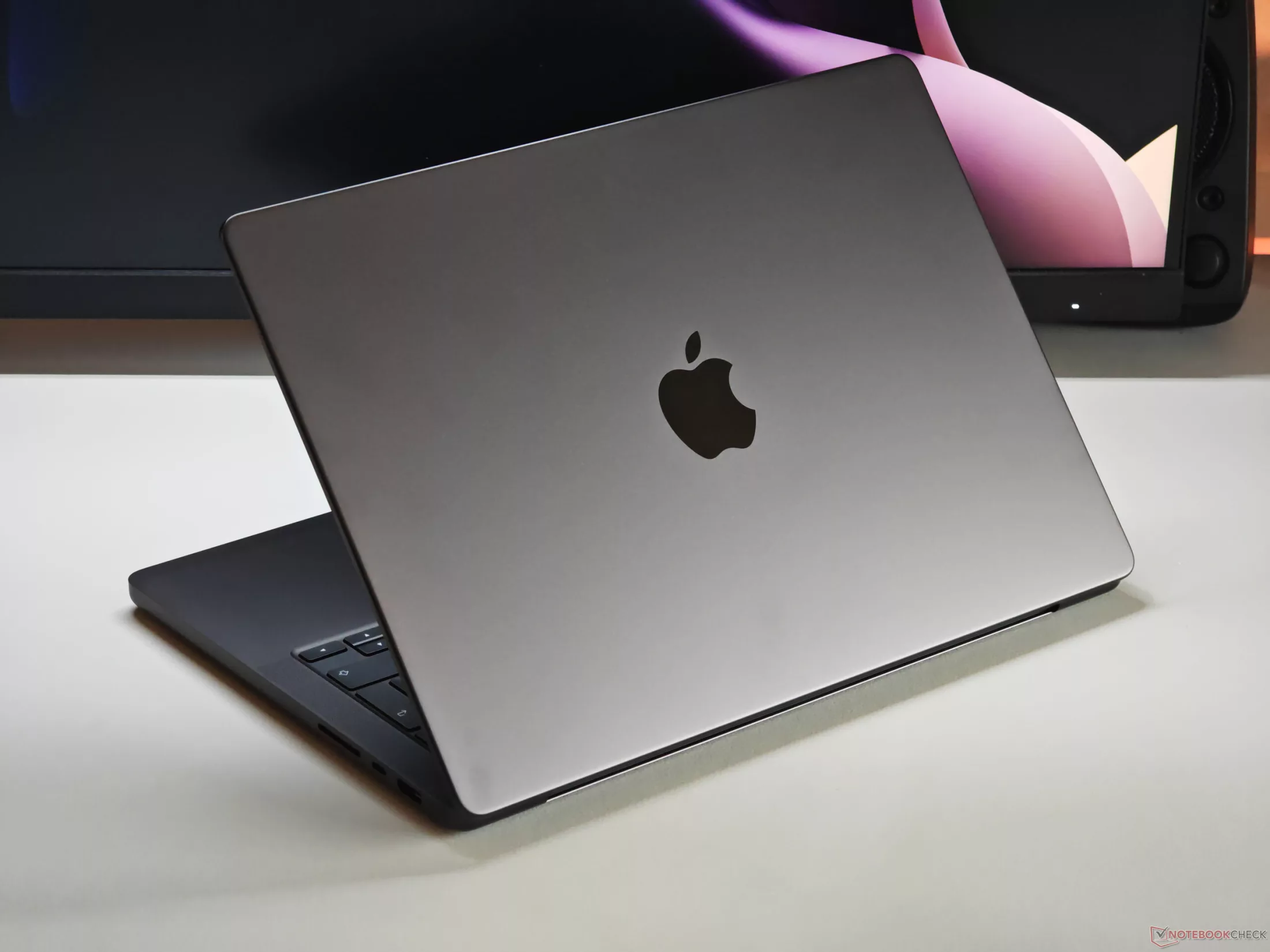
Apple's latest MacBook Pro 14 marks a significant milestone as the first laptop to feature the 2 nm M6 SoC. While this new architecture brings substantial leaps in both performance and energy efficiency, the entry-level model arrives with a higher price tag and a persistent thermal limitation: a single-fan cooling solution that struggles under heavy workloads.
The MacBook Pro 14 M6 is once again a highly capable multimedia powerhouse, but it isn't without its compromises. The transition to the 2 nm process in the M6 chip provides a clear advantage in efficiency, extending battery life across various usage scenarios. However, a notable disparity exists within the lineup. While higher-end configurations equipped with M5 Pro or M5 Max chips benefit from dual-fan cooling, the base M6 model relies on a single fan. This design choice means that during demanding CPU-intensive tasks, the entry-level MacBook Pro 14 can become considerably louder than its more expensive siblings.
Display and Battery Life
Battery endurance has seen a boost thanks to the improved efficiency of the M6 silicon. In our Wi-Fi testing, the device demonstrated a runtime ranging from approximately 6 to 18.5 hours, depending heavily on the brightness settings. The display remains a standout feature, offering accurate colors and high brightness levels. Users can opt for a matte nanotexture coating to minimize reflections. While the Mini-LED panel is excellent, it is worth noting that some users may experience issues with PWM (Pulse Width Modulation) flickering. For those sensitive to this, the Mini-LED version remains a strong choice, though it is technically surpassed in brightness by Microsoft's Surface Laptop Ultra and the MacBook Pro 14 equipped with the PROLED XDR panel.
M6 SoC Performance: A 2 nm Leap
The M6 SoC is Apple's first 2 nm chip for laptops, a technology previously seen in the Mac mini. Our testing of the base 12-core CPU (2x 4.8 GHz performance cores, 4x 4.5 GHz performance cores, and 6x 2.9 GHz efficiency cores) shows that while peak power consumption remains similar to the previous M5 generation at around 30W, the efficiency gains are evident. In terms of raw power, the M6 delivers a roughly 10% increase in single-core performance over the M5, positioning it several generations ahead of competing architectures. Multi-core performance has seen a 20% uplift compared to the M5, bringing it nearly level with the smaller M4 Pro SoC.
When compared to the broader market, the M6 holds its own against high-end mobile silicon. It slightly trails the latest high-end Snapdragon X2 chips in multi-core tasks but significantly outperforms Intel's Panther Lake chips. Notably, performance remains consistent even when the laptop is running on battery power, a key advantage for mobile professionals.
Specifications at a Glance
CPU Performance: A Single-Core Powerhouse
The M6 chip demonstrates a clear focus on single-core efficiency and speed. In Cinebench 2024 single-core tests, the M6 achieved 218 points, slightly edging out the average M6 sample (220 points) and significantly outperforming the previous M5 (200 points) and the M4 Pro (177 points). This trend is even more pronounced in Geekbench 6.7, where the M6 reached 4673 points in single-core, leaving the M5 (4326 points) and the M4 Pro (3927 points) well behind. This makes it the current leader in single-threaded performance within its class, outclassing competitors like the Qualcomm Snapdragon X2 Elite and Intel Core Ultra series by substantial margins.
However, the multi-core story is more nuanced. In Cinebench 2024 multi-core, the M6 scored 1419 points, which is a slight dip compared to the average M5 Pro (18-core) at 2243 points, but it remains competitive against the M4 Pro (14-core) at 1662 points. In Geekbench 6.7 multi-core, the M6 delivered 21247 points, showing a 6% lead over the M4 Pro (14-core) but trailing the M5 Pro (18-core) which reached 29359 points. While the M6 is incredibly responsive, it doesn't quite match the raw multi-threaded throughput of the higher-tier M5 Pro configurations.
Storage and System Responsiveness
The system remains exceptionally responsive, maintaining the high standard expected from the MacBook Pro line. While the SSD is limited to PCIe 4.0 speeds—unlike the PCIe 5.0 support found in the MacBook Pro 14 with M5 Pro/Max chips—the actual transfer rates remain very high and are unlikely to be a bottleneck for most users. In CrossMark testing, the M6-equipped system scored 2738 points, maintaining a slight lead over the average M6 sample (2722 points) and significantly outperforming multimedia class competitors like the Asus Zenbook S14 (2143 points) and the HP OmniBook Ultra 14 (2048 points).
- Cinebench 2024 Single-Core: M6 leads with 218 points vs. M5's 200 points.
- Geekbench 6.7 Single-Core: M6 reaches 4673 points, significantly ahead of Intel and Qualcomm competitors.
- SSD Interface: Limited to PCIe 4.0, unlike M5 Pro/Max models.
- CrossMark: M6 shows superior overall system responsiveness compared to the multimedia class average.
Productivity and Creative Workflows
In CrossMark productivity benchmarks, the MacBook Pro 14 with the M6 chip demonstrates a clear leap over its predecessor. The M6 12-Core GPU configuration achieved an average of 2547 points, representing a roughly 8% improvement over the M5 10-Core GPU model (2344 points). In creative workloads, the gap widens; the M6 scored 3325 points in CrossMark Creativity, outperforming the M5's 2820 points by approximately 16%.
Responsiveness and web performance also show incremental gains. The M6 model maintains a lead in WebXPRT 5 Overall scores (144 points) compared to the M5 (143 points), while showing improved responsiveness in Mozilla Kraken 1.1, where the M6 clocked in at 211.5 ms, compared to 227.9 ms for the M5.
Storage and Data Throughput
The Blackmagic Disk Speed Test reveals significant differences in storage performance depending on the SSD configuration. The M6's Apple SSD AP1024Z delivered read speeds of 6778.1 MB/s and write speeds of 6511.3 MB/s. While this is a notable performance level, it falls behind the M5 Pro OLED configuration (which uses the AP4096Z SSD) that reached up to 12917.5 MB/s in read tests.
Graphics and Gaming Performance
The new M6 12-core GPU provides a substantial boost for graphics-heavy tasks, performing approximately 30% better than the previous M5 10-core GPU. In 3DMark Steel Nomad, the M6 scored 1472 points, a significant jump from the 1125 points achieved by the M5. This performance puts the M6 on par with Intel's Panther Lake iGPUs, such as the Arc B370 and B390, found in competing ultraportables.
For gaming enthusiasts, the M6's increased headroom allows for playing AAA titles like Cyberpunk 2077 and Baldur's Gate 3 at high settings. In Wild Life Extreme, the M6 achieved 15697 points, maintaining a steady performance level compared to the M5's 12059 points, while remaining competitive against high-end multimedia class averages.
In professional GPU benchmarks, the M6 12-Core GPU shows strong results in Metal and OpenCL. In Geekbench 7 GPU Metal, the M6 recorded 90850 points, showing a consistent performance profile compared to the M5's 90172 points.
Graphics and Rendering Performance
In Geekbench 6.7 OpenCL tests, the Apple M6 12-Core GPU shows a significant leap in multimedia performance. It achieved 64,726 points, representing a 0% change compared to the class average, but notably outperforming the previous M5 10-Core GPU by 24%. However, the M5 Pro 20-Core GPU remains the superior option for heavy lifting, outperforming the M6 by 38%. On the Metal API, the M6 GPU shows a massive 66% increase in multimedia class performance compared to the previous generation's average, though it remains slightly behind the M5 Pro's capabilities.
Blender benchmarks highlight the architectural improvements. In the Barbershop Metal test, the M6 12-Core GPU completed the task in 165 seconds, which is 31% faster than the multimedia class average, though it still trails the M5 Pro 18-Core GPU (110 seconds). In the Classroom Metal test, the M6 shows a massive 53-second improvement over the M5 10-Core GPU, though the M5 Pro remains significantly faster at 23.8 seconds. For CPU-heavy tasks like Classroom CPU, the M6's 233 seconds is a massive improvement over the M5's 429 seconds, though it still cannot match the M5 Pro's 147 seconds.
Gaming Performance
Gaming performance varies significantly depending on the title and settings. In Cyberpunk 2077 (1080p Ultra, FSR off), the M6 delivers 35.6 fps, which is a 18% improvement over the M5 10-Core model but falls behind the M5 Pro's 59.1 fps. Baldur's Gate 3 (1080p Ultra, AA:T) sees the M6 hitting 53.5 fps, outperforming the M5's 47 fps but trailing the M5 Pro's 74.8 fps. In Assassin's Creed Shadows (1080p High), the M6 manages 35 fps, a notable step up from the M5's 26 fps, though it remains well behind the M5 Pro's 42 fps. Total War Pharaoh (1080p Ultra) shows the M6 at 49.6 fps, nearly identical to the M5's 49 fps, but still behind the M5 Pro's 53.7 fps.
Thermal Management and Noise
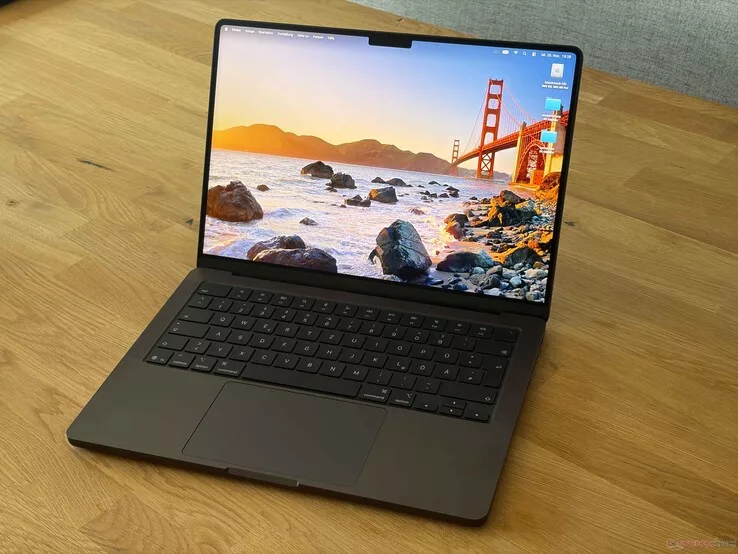
The cooling system remains the primary drawback for the entry-level MacBook Pro 14. Apple continues to rely on a single-fan solution for this model. While the fan is capable of managing the M6 SoC, it activates much sooner under load compared to the MacBook Pro 14 with the M5 Pro, which utilizes a dual-fan setup. Under heavy workloads, the fan noise can reach 49 dB(A), which is quite loud. While gaming sessions typically stay between 25 and 34 dB(A), demanding CPU tasks will trigger high fan activity. While the device remains quiet during light tasks, the single-fan design feels like a cost-cutting measure for a product marketed as a 'Pro' model; a dual-fan solution would have provided a much more refined experience.
Thermals and Acoustics
The metal chassis remains very cool during light workloads, but it warms up noticeably under high loads. Thermal imaging clearly demonstrates the impact of the single-fan design, as the left side of the chassis becomes considerably warmer than the right side. Despite this, it remains comfortable for typing or using the device on your lap.
Under maximum load, the upper side reaches an average temperature of 38.8 °C, which is higher than the 31.3 °C average seen in multimedia-class devices. The maximum temperature on the upper side hits 45.1 °C, compared to a multimedia average of 36.8 °C. The bottom of the device reaches a maximum of 42 °C, which is slightly above the multimedia average of 39.1 °C. However, in idle usage, the upper side stays very cool at an average of 23.4 °C, significantly lower than the 31.3 °C class average. The palm rests and touchpad remain comfortable, reaching a maximum skin temperature of 32.9 °C.
Acoustics
In terms of noise, the MacBook Pro 14 M6 is exceptionally quiet. Under load, it produces only 25.5 dB, which is a significant improvement over many competitors like the HP OmniBook Ultra 14 or the Asus Zenbook A14, which can reach noise levels in the 40–50 dB range. Even under heavy gaming loads (Cyberpunk 2077), the noise level remains remarkably low at 25.5 dB, whereas most Windows-based laptops in this comparison jump to 40 dB or higher.
Audio Quality
The six-speaker system remains excellent. While the HP OmniBook Ultra 14 performs slightly better in our analysis, the MacBook Pro 14 M6 stands in the top tier of all tested devices. Only 1% of all tested devices were found to be better, while 99% were worse. The sound profile is highly linear across the spectrum, with well-balanced mids and highs, and strong, linear bass performance.
- Loudness: 84.6 dB
- Bass: Good and linear (only 3.7% away from median)
- Mids: Balanced and linear (2.4% delta to median)
- Highs: Balanced and linear (3.5% away from median)
- Overall: Highly linear sound (6.7% difference to median)
Audio Performance: A Class Leader
The MacBook Pro 14 M6 continues to set a high bar for laptop audio. In our analysis, the speakers reached a relatively loud 84.5 dB. While the bass is slightly reduced—averaging 14.8% lower than the median—the overall sound remains remarkably linear, with only a 12.2% difference to the median. The mids and highs are particularly well-balanced, staying within 3-4% of the median. When compared to its direct competitors, the MacBook Pro 14 outperforms 80% of devices in its class and sits in the top 10% of all tested devices overall.
In contrast, competitors like the Asus ZenBook S14 UX5406AA and the Dell XPS 14 Core Ultra X7 358H show different profiles. The Dell XPS 14 manages a slightly higher loudness of 87 dB and offers a very linear sound profile, but it falls into the bottom 2% of all tested devices in terms of overall audio quality. The Honor MagicBook Pro 14 2026 performs well in the mids and highs but struggles more with bass reduction compared to the MacBook Pro.
Power Consumption and Battery Life
The M6 SoC makes the MacBook Pro 14 an exceptionally efficient machine. During our stress tests, power consumption leveled off at approximately 74 Watts, peaking at 84.3 Watts. For demanding workflows, we recommend using a 90W power adapter to ensure the battery doesn't drain under heavy load. Even with the high brightness of the Mini-LED panel, the idle power consumption remains impressively low.
Battery endurance sees a notable improvement thanks to the M6 architecture. In our Wi-Fi websurfing test at 150 nits, the laptop lasted 18.5 hours—about two hours longer than the previous M5 model. However, this efficiency advantage diminishes at higher brightness levels; at maximum SDR brightness, the runtime advantage over the M5 is only about 10 minutes. In high-brightness scenarios (max brightness), the MacBook Pro 14 M6 delivers 5 hours and 45 minutes, which is a slight improvement over the 5.6 hours seen on the M5 model.
Battery Runtime Comparison (Wi-Fi Websurfing)
Performance: The M6 Advantage
The standout achievement of the MacBook Pro 14 (2026) is the sheer computational power of the M6 chip. In our testing, the M6 demonstrates industry-leading single-core performance, making it the fastest in its class for tasks that rely heavily on sequential processing. While the 12-core GPU configuration provides a significant boost for graphics-intensive workloads compared to previous generations, the real headline is the efficiency and speed of the individual cores.
However, the performance gains must be weighed against the hardware configuration. The base model reviewed features 16 GB of memory and a 1024 GB SSD, which, while capable for many professionals, may feel restrictive for high-end video editing or complex 3D rendering compared to higher-tier configurations. Despite this, the M6 architecture ensures that even with 16 GB, the system remains incredibly responsive in day-to-day professional applications.
Display: Mini-LED vs. The OLED Trend
While competitors like HP, Lenovo, and Asus are increasingly moving toward OLED panels in their premium 14-inch lineups, Apple has opted to stick with Mini-LED technology for the MacBook Pro 14 M6. The 14.20-inch Mini-LED display offers a resolution of 3024x1964 with 254 PPI, providing excellent brightness and contrast. While it lacks the perfect black levels and instantaneous response times of OLED, it remains a top-tier professional display, especially for those sensitive to PWM (Pulse Width Modulation) flickering, which can be more prevalent on certain OLED panels.
The choice of Mini-LED suggests that Apple is prioritizing peak brightness and sustained HDR performance, though the absence of an OLED option in this specific model remains a point of contention for users seeking the absolute best contrast ratios available in the current laptop market.
Comparison and Value
- The M6 model achieved a 91.8% rating in our comprehensive testing, outperforming the 2025 M5 model (90.9%) and several high-end Intel and Qualcomm-based competitors.
- Pricing for the M6 model starts at $1,799.00 on Amazon, with higher configurations reaching up to $2,249.00, compared to a list price of 2464€ in Europe.
- In terms of portability, the MacBook Pro 14 weighs 1.5 kg with a thickness of 15.5 mm, making it slightly heavier than some OLED-equipped competitors like the HP OmniBook Ultra 14 (1.3 kg) or the Asus Zenbook A14 (992 g).