

Akko 5098B Wasteland Survival Review
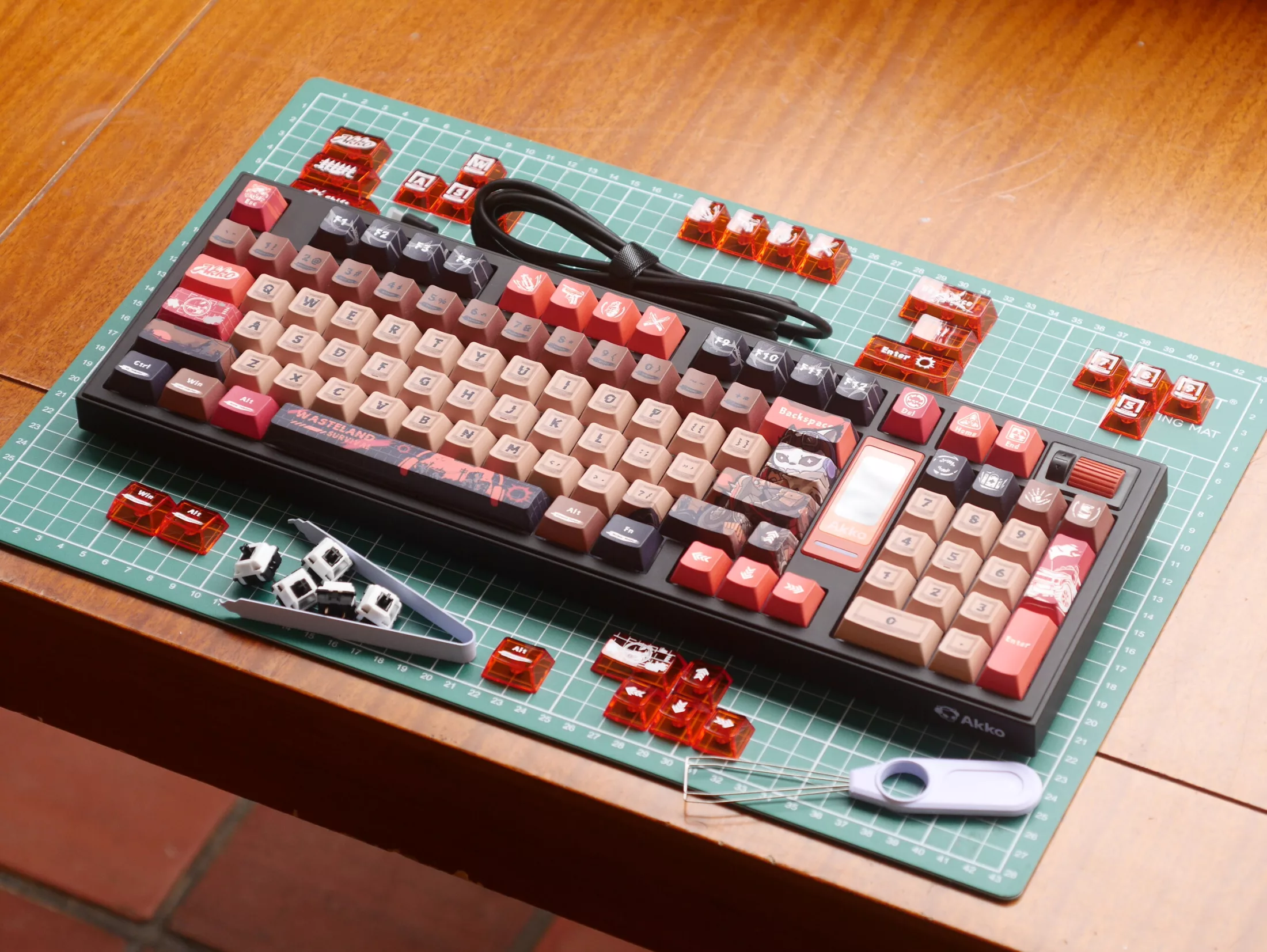
The Akko 5098B Wasteland Survival is a wireless mechanical keyboard that pairs a compact 1800 layout with a functional TFT display and a horizontally mounted volume knob. While the Fallout-inspired aesthetic is undeniably loud, the device stands out for its practical integration of features often relegated to pure vanity on other models. At a price point of $109.99–$118.99, it targets users who want a distinctive desk setup without sacrificing core usability, though it comes with specific trade-offs regarding modifiability and battery life.
Design and Build Quality
The Akko 5098B adopts a fully plastic construction, utilizing ABS for the case and a PP plate. Despite the lightweight materials, the keyboard feels stable due to a metal weight embedded in the bottom, which adds to the total mass of 1,011 g. The build quality is solid, with no noticeable flex or weak points in the chassis. The design is sensibly laid out, with controls and ports placed in expected locations. The visual identity of the Wasteland Survival variant is dominated by dye-sublimated PBT keycaps in a Cherry profile, featuring a chalky matte texture that balances speed and tactile feedback. Orange accents on the otherwise plain case complement the nuclear wasteland theme, creating a cohesive but ostentatious look.
One of the most distinctive features is the horizontally mounted volume knob. While the barrel offers a nice grip, the tactile feedback is faint, and the click mechanism feels stiffer compared to traditional vertical knobs found on devices like the Keychron Q1 Ultra. However, the placement is well-considered, allowing for easy access without interfering with typing. The keyboard also includes a dedicated physical toggle for OS selection and power, along with built-in storage for the 2.4 GHz dongle, which helps keep the desk tidy.
Display and Connectivity
The integrated TFT display on the Akko 5098B goes beyond simple status indicators. While it can display battery life, GIFs, and the time, its primary utility lies in its interaction with the scroll wheel and Fn keys. This combination allows users to adjust connection modes, RGB backlighting settings, case lighting modes, speed, brightness, and color. This level of control makes the screen a genuinely useful tool rather than a mere decorative element, distinguishing it from many other mechanical keyboards where displays serve only as vanity features.

Connectivity options are robust, supporting USB Type-C, 2.4 GHz wireless, and Bluetooth 5.0. The polling rate is 1,000 Hz over wired and 2.4 GHz connections, dropping to 125 Hz over Bluetooth. The keyboard uses a 3-pin and 5-pin hot-swap PCB compatible with MX-style mechanical switches, pre-loaded with Akko V3 Piano Pro linear switches. The backlighting is south-facing RGB, which is standard for this form factor but contributes significantly to power consumption.
Typing Experience and Switches
The typing experience is a mixed bag. The Akko V3 Piano Pro switches are generally well-regarded in the community for their consistency and sound, but they exhibit a slight scratchiness and notable wobble that may bother sensitive users. The space bar stabilizer is particularly rattly, a common issue at this price point that can be mitigated with lubrication or a plumber's tape mod. The stabilizers lack factory lubrication, which is a drawback for those seeking a refined out-of-box experience.
However, the overall sound profile is reasonably pleasant. The combination of the foam-filled case, flex-cut plate, and gasket mount creates a sharp but muted clacky sound on bottom-out. The gasket mount provides a softer feel, enhancing the typing comfort. The thick PBT keycaps contribute to a tactile experience that, while not perfect, is satisfying for daily use. The included translucent keycaps, exclusive to the Wasteland Survival variant, add a chaotic visual element that may be distracting for some, though they match the theme well and feature crisp UV printing that should resist wear.
Software and Battery Life
Software support is a significant limitation. The Akko 5098B does not support open-source customization tools, likely due to the inclusion of the TFT screen. The proprietary driver is designed exclusively for Windows, making it difficult to set up macros or customize the layout on macOS or Linux. This lack of cross-platform support is a notable downside for users in non-Windows environments.
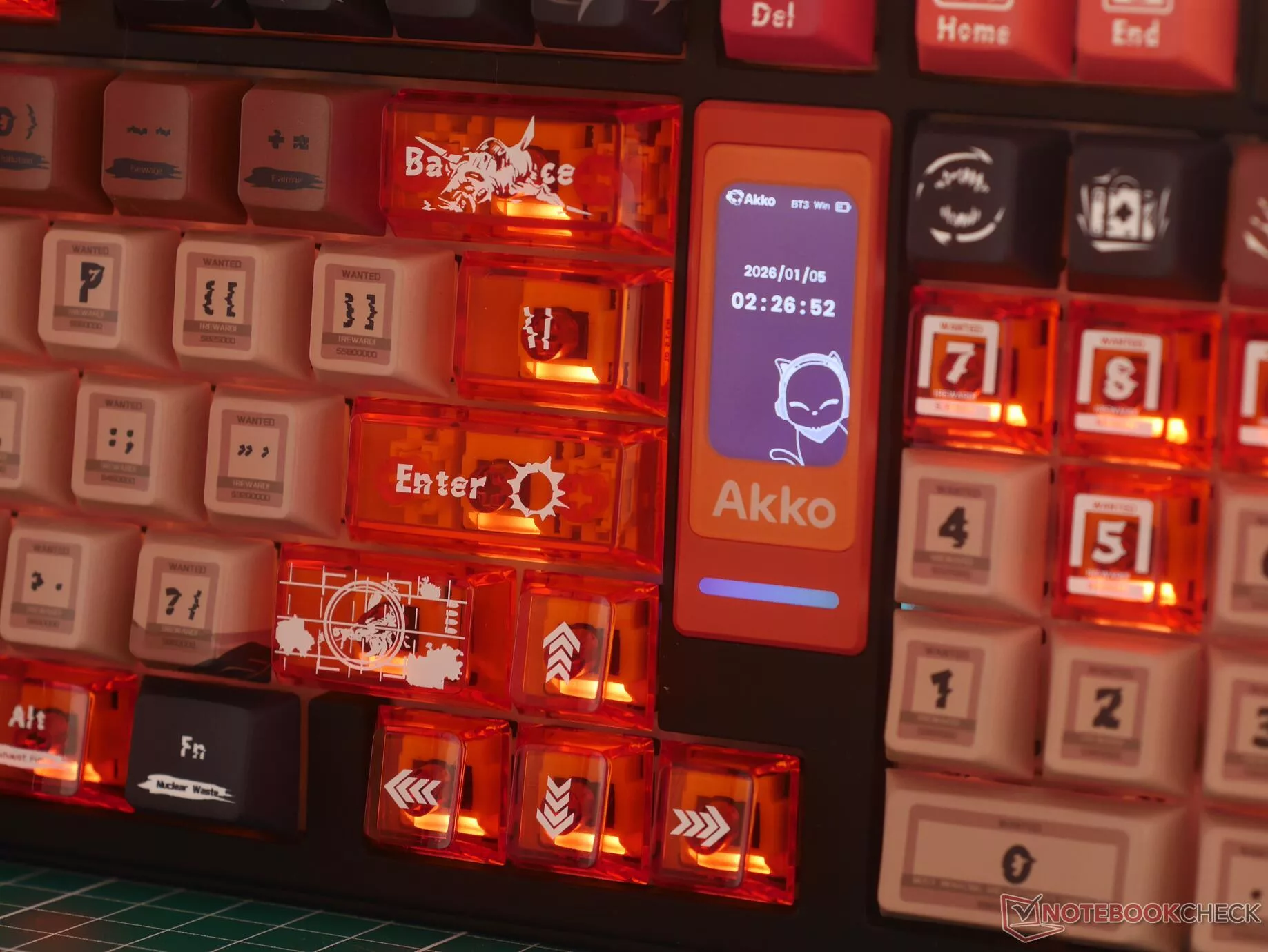
Battery life is another area of concern. The large internal battery is quickly drained by the bright RGB lighting and the TFT display. In day-to-day use, the keyboard scarcely lasted more than four eight-hour working days when connected via 2.4 GHz. Dimming the backlight and disabling the display can extend battery life, but this sacrifices some of the keyboard's hallmark features. Users are advised to keep a cable nearby and monitor the battery charge level using the built-in display.
Conclusion
The Akko 5098B Wasteland Survival is a solid, well-built budget mechanical keyboard for those who want something other than a plain black or white keyboard on their desk. While the Wasteland Survival colorway is a little ostentatious, it demonstrates Akko's excellent dye-sublimation keycap printing, and there are much more palatable options available on Akko's store. The 1800 layout is easy to get used to, and the display and horizontally mounted volume knob are both implemented well. The display isn't just vanity, which is a nice change from other mechanical keyboard designs.
One major downside is that it's nearly impossible to modify, thanks to a plastic case that's held together very firmly with clips instead of screws. The switches are also middle-of-the-road. The Piano Pro V3 switches sound great, and they are consistent, but they are also not as smooth as other cheap alternatives. If you can live with the short battery life, the plastic build, and the proprietary Akko driver, the Akko 5098B is worth considering, thanks to its satisfying typing feel and reasonable price.
Гика
