

Controlling Windows 11 via Search: Agentic Search Capabilities
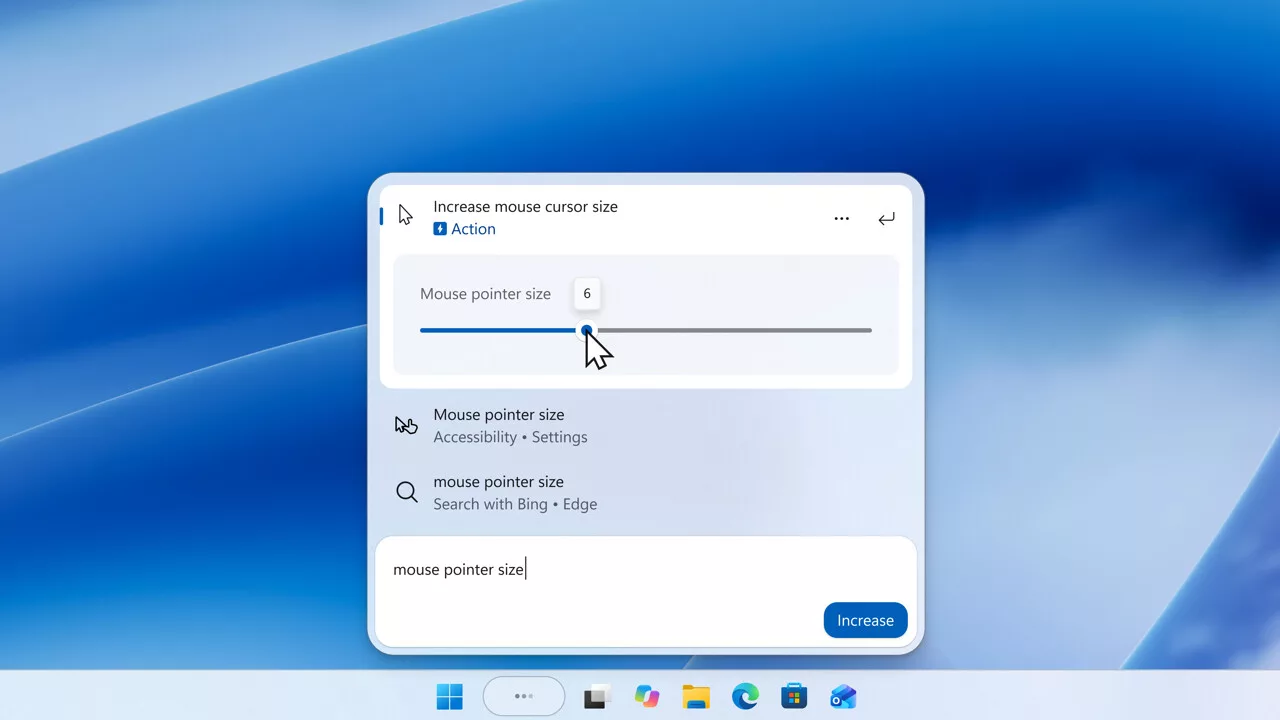
Microsoft is expanding the Agentic Search feature for Windows 11, currently available in the Experimental channel of the Windows Insider Program. The key advancement lies in 'inline' actions, which enable users to control PC settings and applications directly through search inputs.
The core innovation of the revamped Windows Search is the introduction of 'inline' actions. This fulfills a long-standing promise of Copilot development: that background AI models should be able to control the PC using natural language. In Insider Build 26340.9843, Microsoft has unlocked more inline actions and provided clearer labeling. For instance, a query like 'set volume to 40%' allows for direct audio adjustment. Similarly, settings for screen brightness or mouse pointer size can now feature interactive elements, such as sliders, directly within the search interface.
Beyond OS settings, the system now integrates mobile device management and application launching. If a smartphone is linked via Phone Link, users can initiate calls or activate 'Do Not Disturb' mode on the phone through the Windows search bar. Currently, this is limited to Android devices, with iOS support expected later. Additionally, the search can be used to launch specific applications, such as Steam or Microsoft Word.
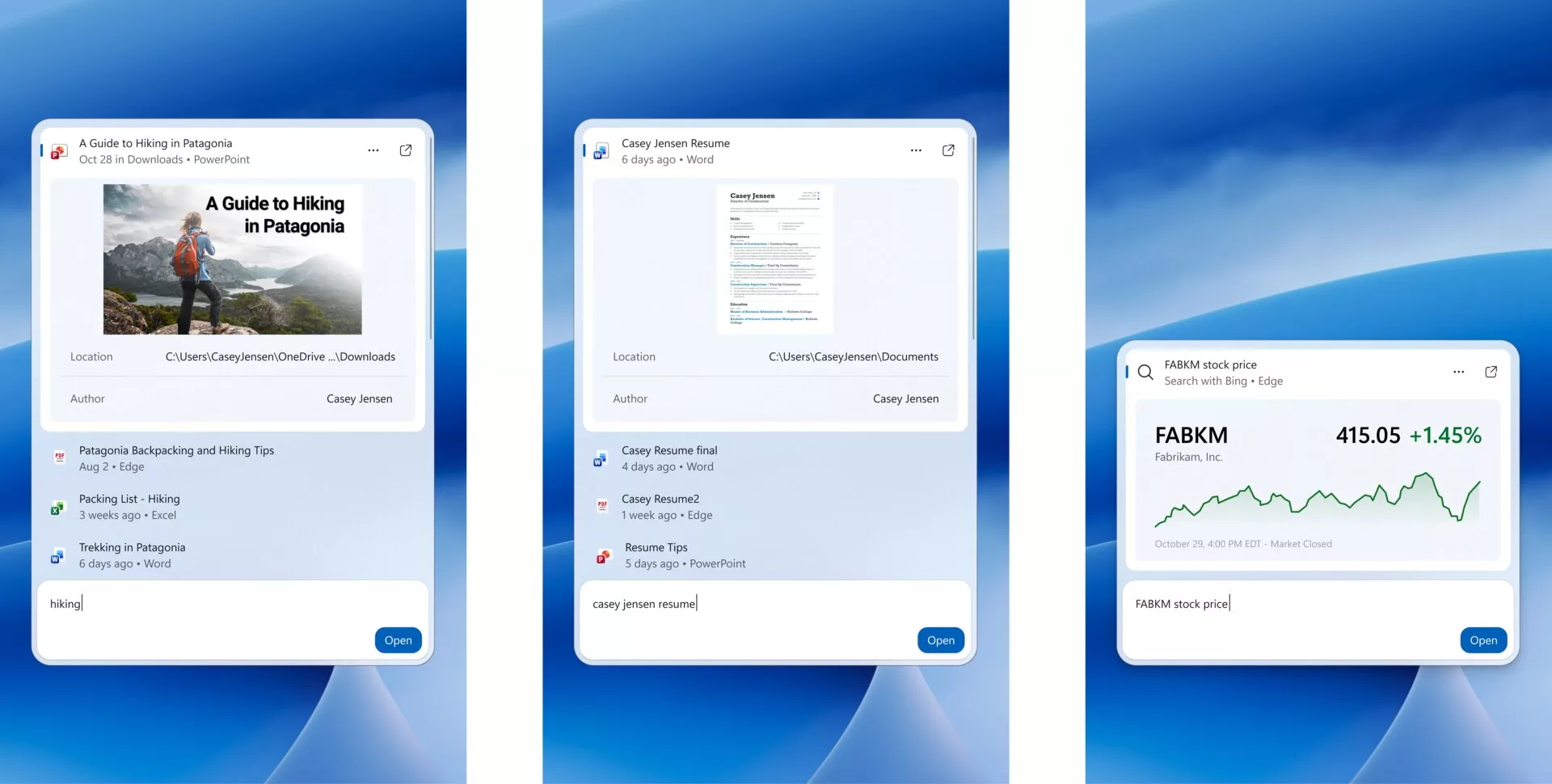
Standard Windows search results have also been streamlined. When searching for files like presentations or Word documents, the Agentic Search displays thumbnails along with metadata like file location and author. Web results are becoming more compact and visual; for example, stock prices or weather data can be presented as integrated graphics directly in the results.
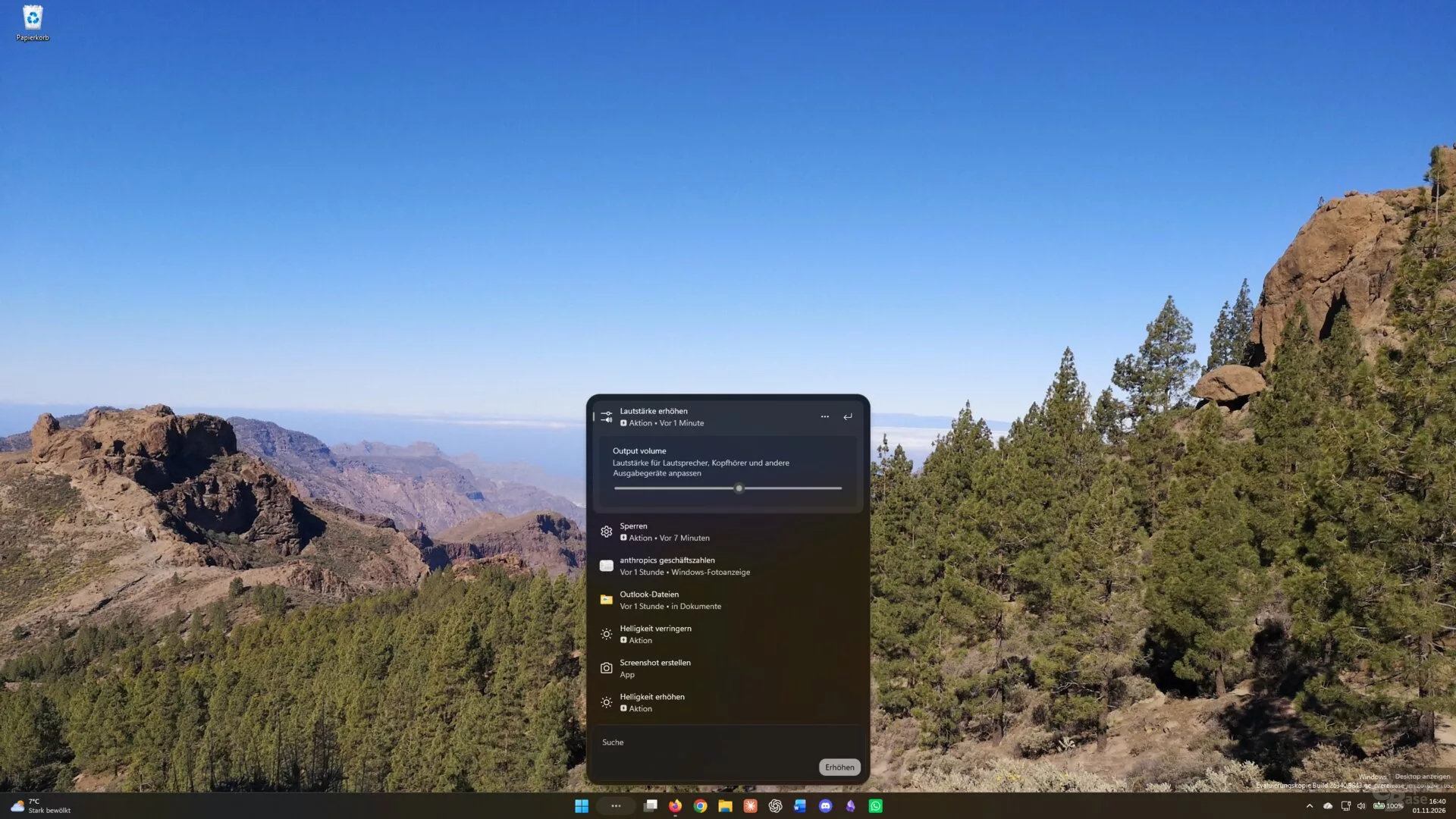
Testing Status and Availability
As this feature is currently in the experimental phase, it is not yet available to all users and is being rolled out gradually via the Experimental channel. While some users may be able to enable it through Feature Flags in the Windows Update settings, others might require tools like ViVeTool to unlock the hidden functions. Early testing confirms that basic commands—such as taking screenshots, locking the screen, or opening apps—are functional, though some features, like toggling between Dark and Light modes, remain unavailable in this build.
Гика
