OLED Engine: A free tool to mitigate OLED burn-in risks
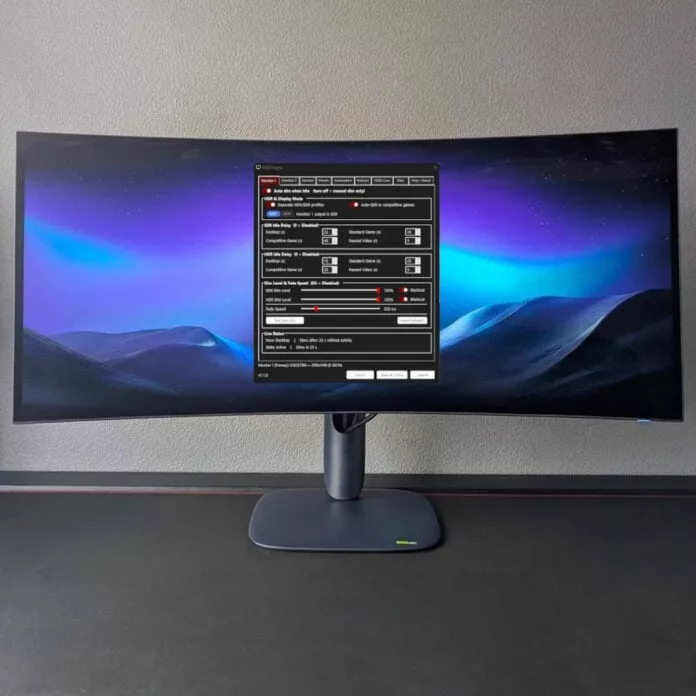
While modern OLED and QD-OLED panels come equipped with sophisticated built-in safeguards, the risk of burn-in remains a primary concern for owners. A new open-source tool called OLED Engine has emerged, promising an additional layer of software-based protection by automating several maintenance tasks and reducing the visibility of static elements.
OLED Engine is a free application designed to minimize the risk of image retention on OLED displays, though it is compatible with non-OLED monitors as well. The tool allows users to configure and optimize the behavior of multiple monitors individually, supporting up to five displays simultaneously. By leveraging the DDC/CI protocol, the app can automatically dim the screen, turn it completely black, or even switch the monitor off entirely.
Automated protection and smart detection
One of the core functionalities of OLED Engine is its ability to hide static elements that are notorious for causing burn-in, such as the Windows taskbar, desktop icons, or the mouse cursor. To prevent the software from interfering during active use, it includes smart detection for different scenarios. For instance, the app can recognize when a video is playing or when a controller is being used, ensuring the monitor does not dim while the user is actively engaged with content.
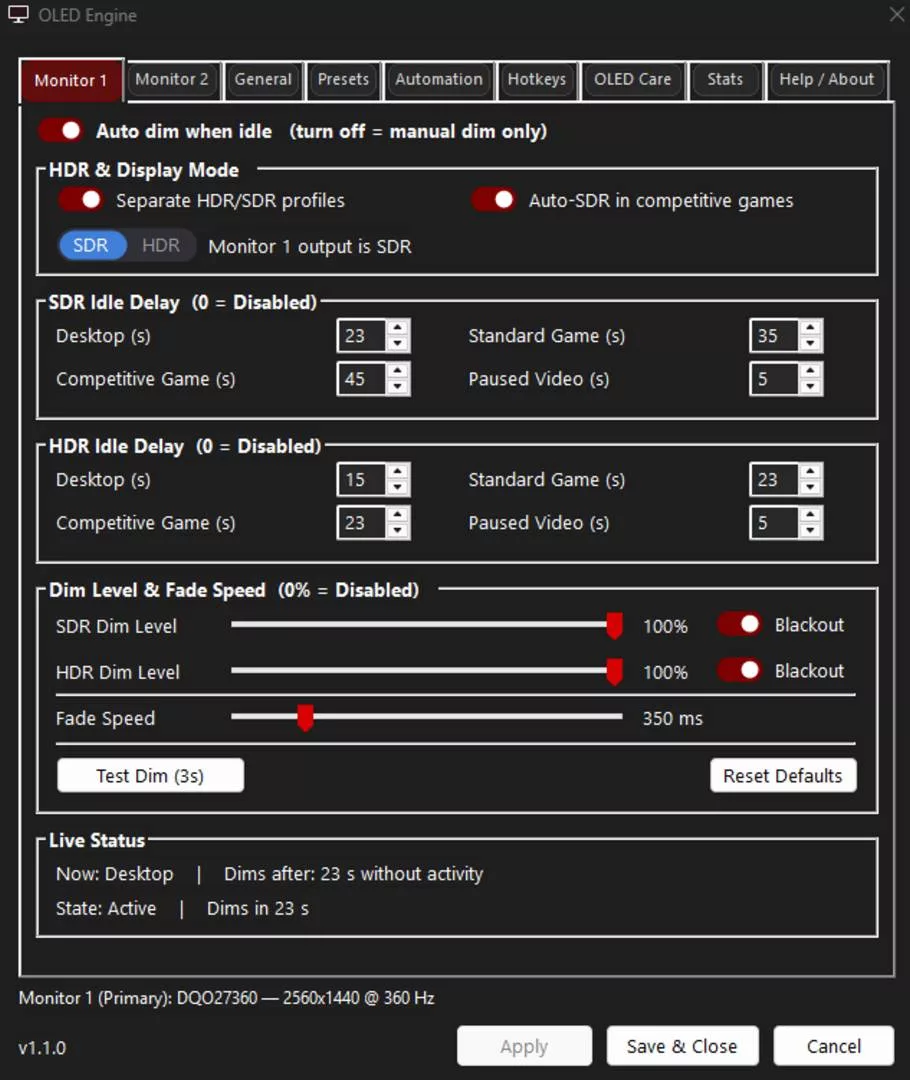
Users can set specific activation delays for various Windows states, including the desktop, active gaming, competitive matches, or paused video. The level of brightness reduction and the speed of dimming are also customizable. For those who prefer manual control, the application supports keyboard shortcuts to trigger these functions instantly.
Addressing VRR flicker and HDR switching
Beyond basic dimming, the app includes features aimed at improving the gaming experience. It offers automatic HDR and SDR switching, which can be useful for disabling HDR when launching specific competitive titles. More importantly for OLED owners, it can facilitate automatic G-Sync switching via the Nvidia Profile Inspector. This addresses the well-documented issue of variable refresh rate (VRR) flicker, where OLED panels may exhibit brightness fluctuations in dark grey areas when frame rates drop or fluctuate significantly, such as during loading screens. By disabling G-Sync and locking the monitor to a fixed refresh rate, this flickering effect can be eliminated.
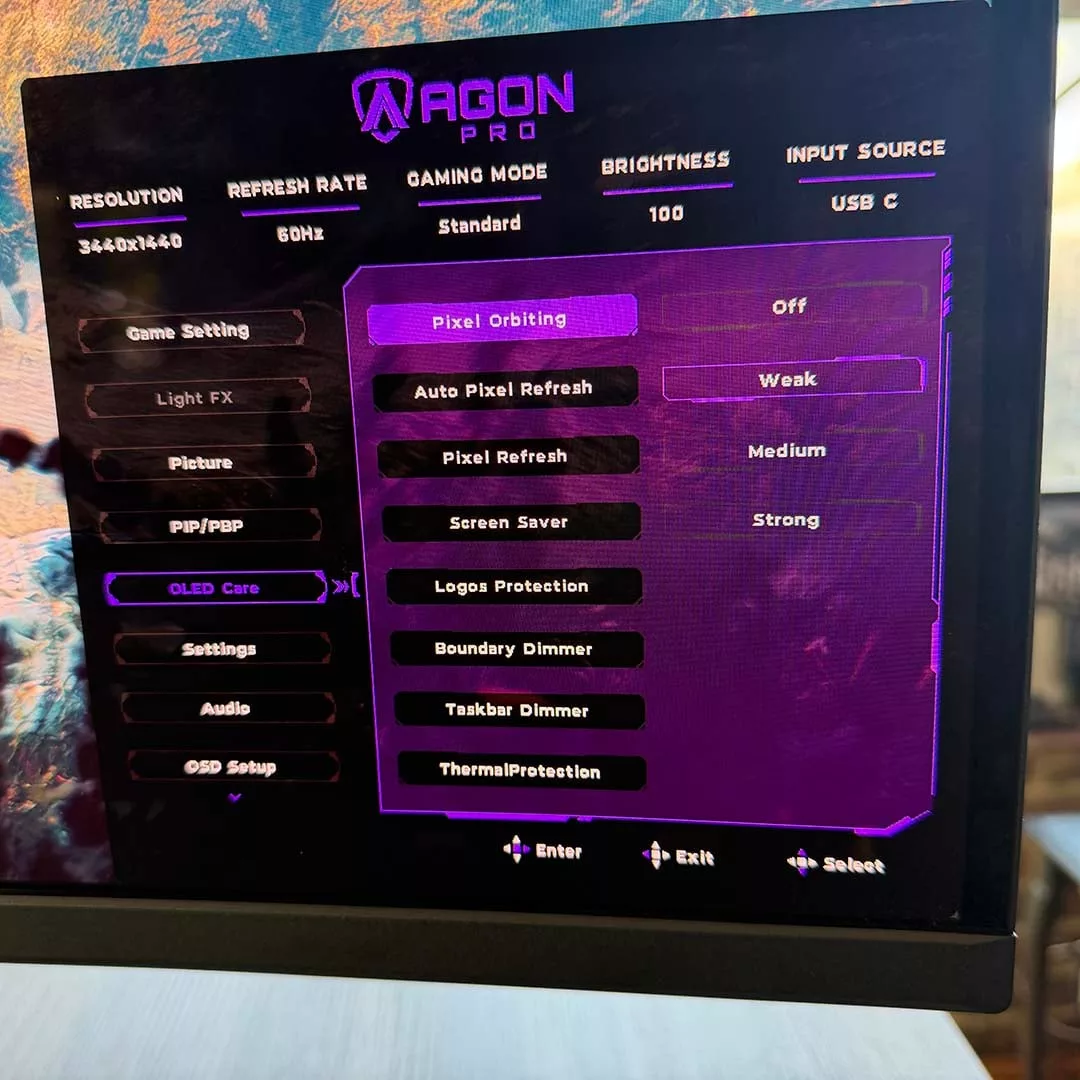
While modern monitors from manufacturers like AOC, MSI, and Samsung already include robust protections—such as pixel shifting, smart dimming of high-risk zones, and mandatory maintenance cycles—OLED Engine provides a supplementary, automated approach for users who want extra peace of mind without manual intervention.