

NVIDIA Project G-Assist gets a lightweight model for 6GB RTX GPUs
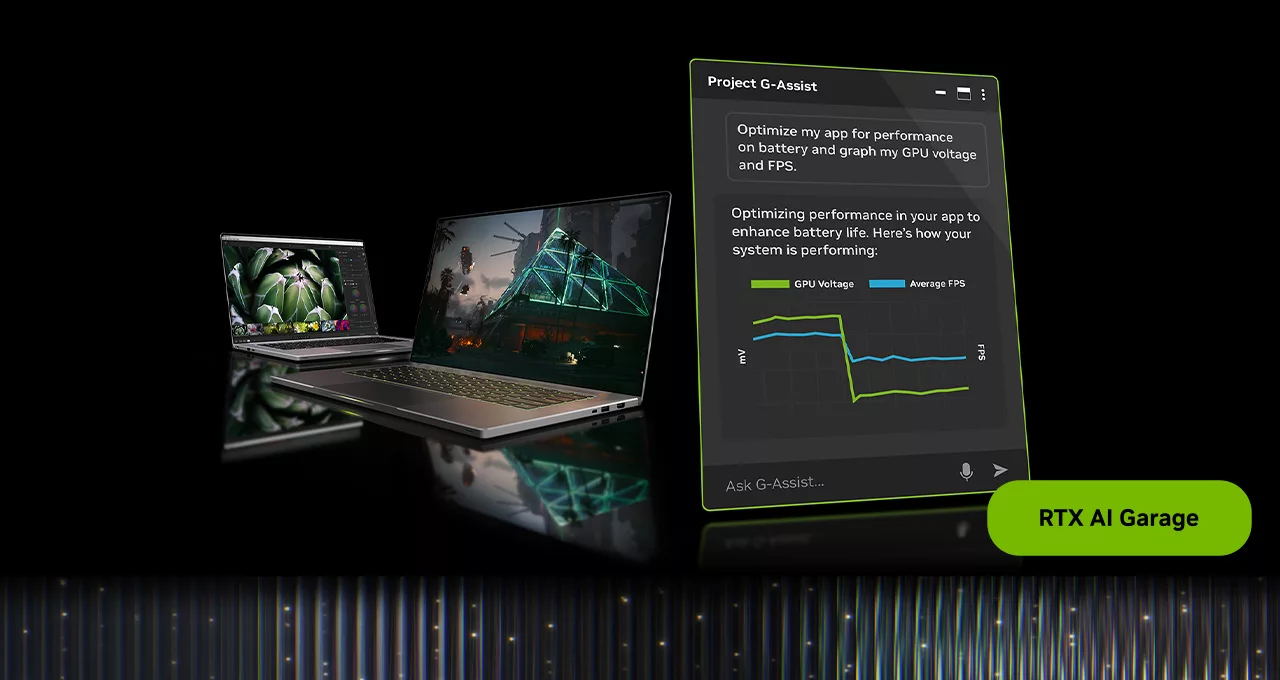
NVIDIA is bringing Project G-Assist closer to mainstream RTX PCs: the new lightweight model targets GPUs with 6GB of VRAM, uses less memory and makes local AI assistance less dependent on flagship systems.
The 6GB VRAM threshold turns G-Assist from a high-end system demo into a potential mainstream AI interface for gaming PCs.
Why this matters beyond a utility update
NVIDIA Project G-Assist is moving from an on-device AI assistant demo toward a practical control layer for gaming PCs. The headline change is a new lightweight AI model that NVIDIA says uses 40% less VRAM, runs faster and maintains response accuracy. That shifts the addressable audience: G-Assist is now designed for GeForce RTX and RTX PRO GPUs with 6GB of VRAM or more, including laptops.
For the industry, the threshold matters. Local AI features for games and system tools have often felt tied to expensive PCs with a large memory buffer. A 6GB VRAM target moves the idea closer to the mainstream RTX install base: the assistant can reach systems many players already own, rather than only new flagship builds.
It is still important to separate NVIDIA's official technical target from independent performance testing. Support for 6GB VRAM does not automatically answer how much memory remains for the game, how responsive the assistant is under load or how smoothly it coexists with overlays, monitoring tools and driver profiles.
What Project G-Assist does
Project G-Assist is a free experimental on-device AI assistant that accepts voice and text commands. Its goal is not to replace a game or a chatbot, but to remove friction around PC tuning. NVIDIA presents it as a command center for functions normally scattered across the NVIDIA app, driver menus, monitoring tools, system settings and peripheral utilities.
The use cases are practical: G-Assist can run diagnostics to optimize game performance, display or chart frame rates, latency and GPU temperatures, and adjust GPU or peripheral settings. NVIDIA specifically mentions peripheral control such as keyboard lighting.
That is why the update matters beyond AI enthusiasts. If the layer becomes stable, some players may tune their system with natural language instead of searching through multiple control panels. The laptop angle is especially relevant because performance, thermals, fan behavior and power modes are tightly linked on mobile RTX machines.
How the update is enabled
NVIDIA outlines a specific setup path. Users need Game Ready Driver 580.97 or newer through the NVIDIA app. In the NVIDIA app, they must open Settings, go to About, opt in to Beta and Experimental Features / Early Access, then relaunch the app. The app should be on version 11.0.5, and the G-Assist 0.1.17 update can be downloaded from Home through the Discover section. Alt+G activates the assistant.
These requirements matter because G-Assist remains experimental. Access comes through NVIDIA app early features rather than a finished universal default for every RTX PC. It is a developing platform that NVIDIA is expanding over time.
NVIDIA also says another September update will add laptop-specific commands for features such as NVIDIA BatteryBoost and Battery OPS. If that works reliably, G-Assist could become not just a gaming assistant, but a natural-language interface for managing mobile RTX PC modes.
The Plug-In Hub may be the bigger platform play
The second major part of the update is the G-Assist Plug-In Hub, built with mod.io. NVIDIA is not relying only on built-in commands: users will be able to discover and download plug-ins, and with the new mod.io plug-in they can ask G-Assist what is available and install extensions through natural language.
That changes the positioning of G-Assist. Without plug-ins, it is a useful interface for a fixed set of system features. With a plug-in hub, it becomes a platform where new workflows can appear faster than NVIDIA can add them directly to the core app.
NVIDIA highlighted examples from the G-Assist Plug-In Hackathon. Omniplay helps players research lore from online wikis and take notes while gaming. Launchpad lets users create, launch and toggle custom app groups. Flux NIM Microservice for G-Assist enables image generation from inside G-Assist using on-device NVIDIA NIM microservices. The direction is clear: G-Assist could become a connective layer between games, productivity tools, local AI models and user-made automation.
Industry context: local AI gets closer to players
The most important part of the announcement is not one specific command or menu. NVIDIA is trying to make the case that AI on a gaming PC should run locally and be useful in the moment: checking system state, recommending actions, changing settings and expanding through plug-ins.
Lowering the memory target to 6GB VRAM is a practical step toward scale. The lower the memory threshold, the more users can try a local assistant without relying on a cloud service or buying a new high-end GPU. For plug-in developers, that larger potential audience makes small applied extensions more worthwhile.
There is also a real constraint. On gaming PCs, 6GB of VRAM can already be pressured by textures, upscalers, video capture, browsers and the game itself. The key question for testing is not only whether G-Assist launches, but whether it remains comfortable beside a real game workload.
Related announcement: RTX Remix and generative tools
In the same news package, NVIDIA discussed RTX Remix. The platform for remastering classic PC games is getting a path-traced particle system in September, with physically simulated particles, dynamic shadows and realistic reflections. NVIDIA also said the RTX Remix community has more than 350 active projects, over 100 released mods and more than 2 million total downloads.
This helps frame the broader strategy. G-Assist, plug-ins, local NIM microservices and RTX Remix all point in the same direction: an RTX PC is not only a machine for running games, but also a workstation for AI tools, modding, asset generation and automation.
What needs testing next
- Memory alongside a game: how much VRAM remains after launching G-Assist on a 6GB RTX GPU.
- Response speed: how quickly the assistant executes local commands and whether latency changes under load.
- Stability: whether G-Assist conflicts with overlays, monitoring tools, driver profiles or peripheral software.
- Plug-in usefulness: how easily extensions can be installed, updated and removed through the hub.
- Laptops: how BatteryBoost and Battery OPS commands affect performance, noise and battery behavior.
Bottom line
The lightweight Project G-Assist model is more than a memory optimization. It is an attempt to make a local AI assistant part of the mainstream RTX ecosystem. If 6GB VRAM support holds up in independent testing, G-Assist could become one of the clearest examples of AI features moving from high-end GPU demos into everyday gaming tools.
The cautious conclusion is simple: NVIDIA has provided a strong technical signal and a clear setup path, but the final verdict depends on real tests across 6GB desktop cards and laptops. That is where we will learn whether G-Assist is already a useful system assistant or still a promising experimental feature.
Редакция MBG
