HWiNFO 8.61: New REST API Webserver Enables Sensor Monitoring on Smartphones and Tablets
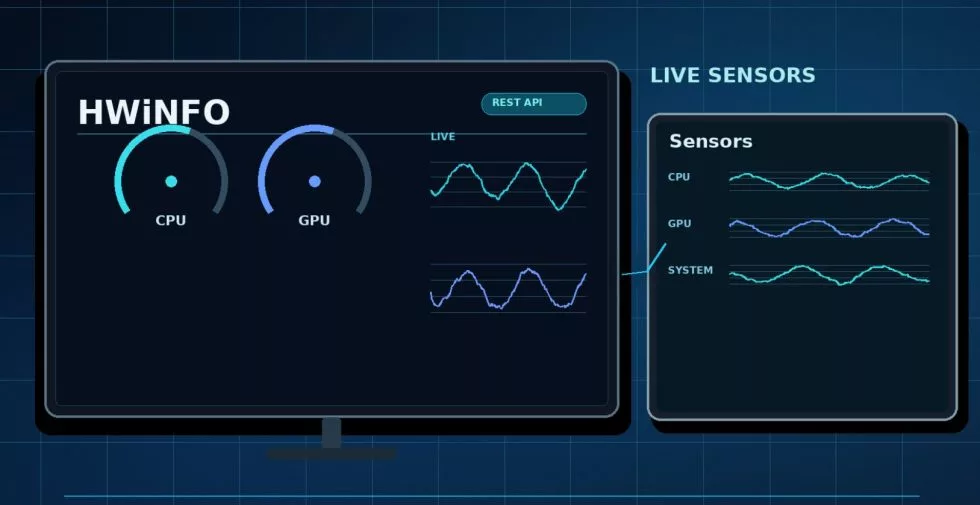
Monitoring system temperatures, clock speeds, and power consumption during intense gaming sessions or benchmarks has always presented a practical challenge: the HWiNFO sensor window requires screen real estate, and alternative on-screen displays often demand additional software or complex overlays. With the release of HWiNFO 8.61 Beta (Build 6125) on November 18, 2026, developer Martin Malík introduces a feature designed to eliminate this friction. A new integrated REST API webserver allows sensor data to be served directly over a local network, enabling smartphones, tablets, or secondary PCs to act as dedicated monitoring displays via a standard web browser.
This update goes significantly beyond a simple remote mirroring of the existing sensor window. The integrated server provides captured values via HTTP or HTTPS in JSON format. This data stream includes not only real-time measurements but also essential metadata, such as sensor structure, units, descriptions, and data types. This architecture allows for the creation of highly customized displays—for instance, a dashboard showing only CPU temperature, GPU power draw, and fan speeds. For users who prefer not to develop their own interface, HWiNFO includes a pre-configured dashboard that mimics the layout of the classic HWiNFO sensor window.
Practical Utility and Technical Implementation
The primary advantage of this feature is the decoupling of monitoring from the primary display. When running benchmarks on a main monitor, sensor values can remain visible on a secondary device, preventing the need to alt-tab out of a game or application. This is particularly useful for single-monitor gaming setups or for troubleshooting hardware issues, such as investigating temperature spikes or unusual power consumption during prolonged workloads. Because the server is built directly into HWiNFO, no additional monitoring software or background services need to be installed on the receiving device; a standard web browser is sufficient.
The REST API approach offers much greater flexibility than a fixed display. Developers and enthusiasts can fetch data at regular intervals, filter specific measurements, and integrate them into custom charts or status indicators using standard web technologies like HTML and JavaScript. While the interface can be highly customized, the actual data available remains strictly limited by the underlying hardware and the sensors supported by HWiNFO's drivers. A new network interface cannot provide measurements that the hardware or drivers do not report.
Setup and Security Considerations
Configuration is handled directly within the HWiNFO sensor window via the new "Remote Center" button. This dialog allows users to set the IP address, port, and HTTPS preference, as well as update intervals and monitoring pause settings. Once active, HWiNFO displays the server status and the specific address for data retrieval. To function, both the host PC and the receiving device must be on the same network, and the local firewall must permit access to the chosen port. For example, a gaming PC connected via Ethernet can stream data to a tablet connected via Wi-Fi without requiring an external internet service.
While HWiNFO supports HTTPS for encrypted transmission, the developer notes that this does not mean the server should be made accessible over the public internet. Sensor data contains detailed information about hardware states and configurations; while not typically classified as sensitive personal data, it should still be restricted to trusted devices within a local network. For enthusiasts, this could mean using an old smartphone as a dedicated, low-power display for CPU and GPU temperatures, or monitoring pump speeds and fan RPMs in a water-cooled system.
Licensing and Limitations
It is important to note a significant distinction regarding licensing. The new REST API webserver is subject to a time limit for users without a paid HWiNFO license: the server can only be operated for a maximum of twelve hours. While this allows for short-term testing and private use, a permanent, continuous monitoring display requires a full HWiNFO license. This twelve-hour restriction applies specifically to the new webserver functionality and is not a general limitation on all free features of the software.
- First Version: HWiNFO 8.61 Beta, Build 6125
- Release Date: November 18, 2026
- Interface: REST API
- Data Format: JSON
- Transmission: HTTP and HTTPS
- Data Provided: Available hardware sensor values and metadata
- Receiving Devices: Smartphones, tablets, and other computers
- Display Method: Web browser or custom application
- Dashboard: Pre-configured interface included
- Customization: HTML and JavaScript support for custom interfaces
- Sensor Filtering: Ability to select specific values for output
- Free Usage: Webserver limited to 12 hours of runtime
- Continuous Operation: Requires a full HWiNFO license
- Development Status: Beta version
The latest development build of HWiNFO, version 8.61 Build 6125, introduces a significant feature for enthusiasts: a REST API webserver. This addition allows users to stream CPU and GPU sensor data to other devices on the network, such as smartphones, tablets, or secondary PCs. This functionality is particularly useful for hardware testers and gamers who want to monitor real-time temperatures on a dedicated screen without obscuring their main monitor with sensor windows.
Licensing and Technical Limitations
While the core HWiNFO software remains free for general use, the webserver functionality is subject to specific usage rules. According to the developer's documentation, the webserver is limited to a 12-hour runtime in the free version. For users intending to use a tablet as a permanent, continuous sensor display, a paid license is required to bypass this time restriction.
Current beta testing has also highlighted a practical inconvenience: the webserver does not yet start automatically after a system reboot. Even if HWiNFO is set to launch with Windows and open the sensor window immediately, the REST API service must be manually reactivated. To address this, developer Martin Malík has announced plans to implement a command-line parameter for automatic startup in a future beta. Additionally, the team intends to add a feature that saves and restores the server status upon application restart, though these improvements are not yet included in Build 6125.
Other Changes and Version Context
Beyond the REST API, the 8.61 beta includes several smaller updates and bug fixes. These include an option to keep the On-Screen Display (OSD) permanently in the foreground, improved support for integrated Intel graphics, early detection for upcoming Coral Rapids hardware, and a fix for unintended audio setting changes in Focusrite devices. It is important to note that these changes are part of the 8.61 development branch and are not present in the current stable version, 8.60, which was released on November 10.
The introduction of the REST API also opens the door for custom dashboard projects. Developers have provided free examples that serve as a foundation for creating bespoke monitoring interfaces. Because the API uses an open JSON structure, users can design highly customized displays, ranging from minimalist CPU/GPU readouts to complex, dedicated temperature graphs, provided the receiving application can correctly parse the network data.