

GPU Placement Experiment: How Unconventional Mounting Drops Hotspot Temps by 14°C
Decades of PC DIY evolution have conditioned us to expect a specific layout: the GPU in a standard PCIe slot and the CPU under a dedicated cooler or AIO. However, enthusiast TrashBench decided to challenge these norms to see if modern high-power components benefit from breaking convention, yielding surprising results.
Finding the Cooling Sweet Spot
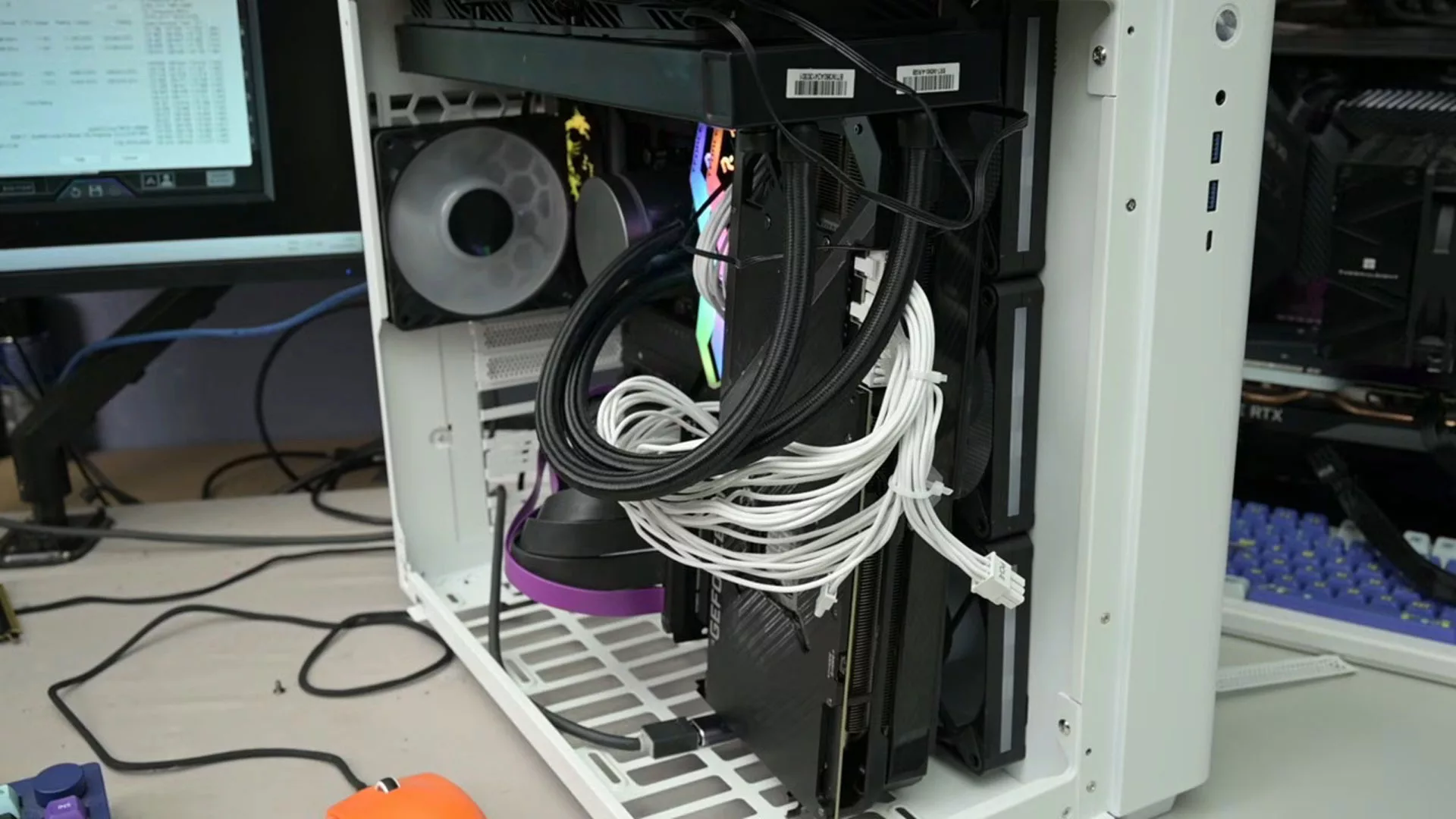
The experiment utilized a desktop featuring an RTX 3080 and a 360mm AIO liquid cooler. Starting from a conventional baseline—where the GPU is slotted into the standard PCIe expansion slot and the AIO fans act as exhaust—TrashBench began repositioning components using PCIe riser cables to move the graphics card around the case.
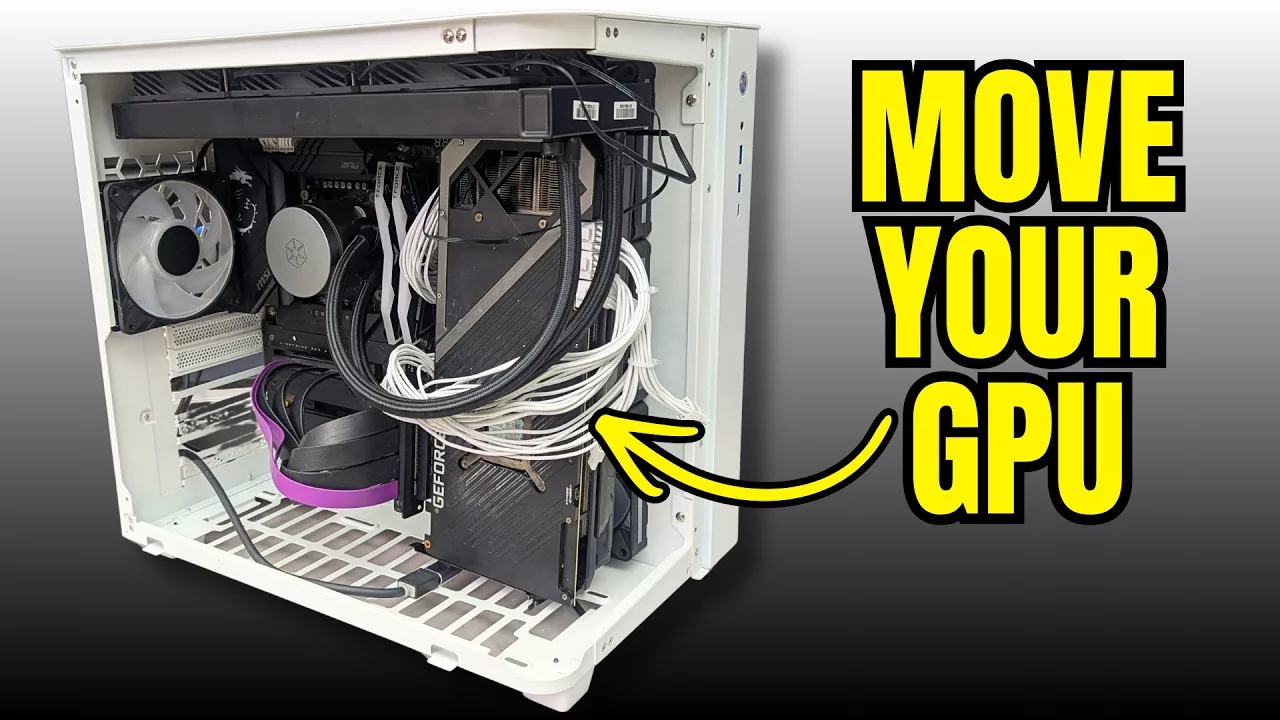
Initial radical configurations, such as mounting the GPU at the bottom of the case or vertically near side intake fans, achieved a massive 19°C reduction in GPU hotspot temperatures. However, these setups often came at a cost, adversely affecting CPU temperatures by disrupting the internal airflow balance.
The Optimized Configuration
Rather than sacrificing one component for the other, TrashBench identified a configuration that optimized both. The final, most effective setup involved:
- Mounting the CPU vertically, directly in the path of the side intake fans.
- Maintaining the AIO radiator in a traditional exhaust configuration.
- Using a riser to reposition the GPU to ensure direct airflow.
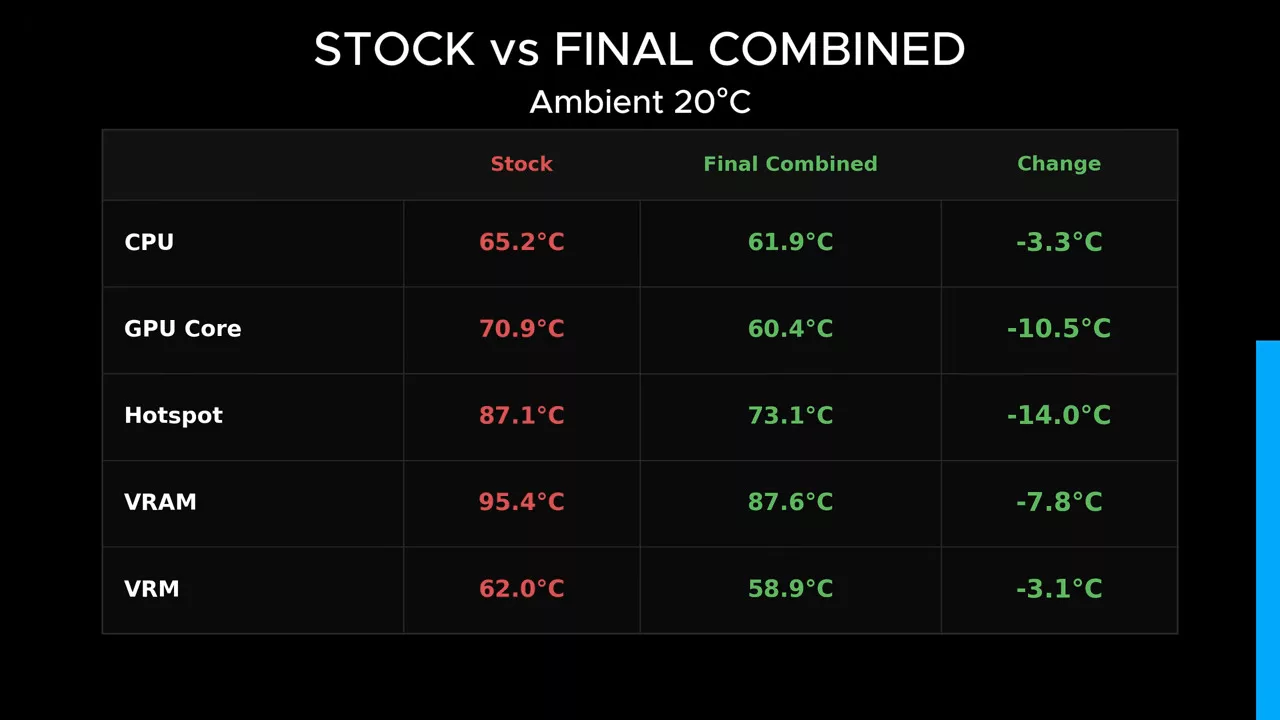
This balanced approach resulted in a 14°C reduction in GPU hotspot temperatures and a 3.3°C drop in CPU temperatures compared to the baseline. While such modifications require PCIe risers and deviate from standard case ergonomics, the results suggest that traditional component placement may not always be the most efficient way to manage thermals in high-end modern builds.
Гика
