
Windows 11 26H2: Reduced RAM Usage and Performance Boost
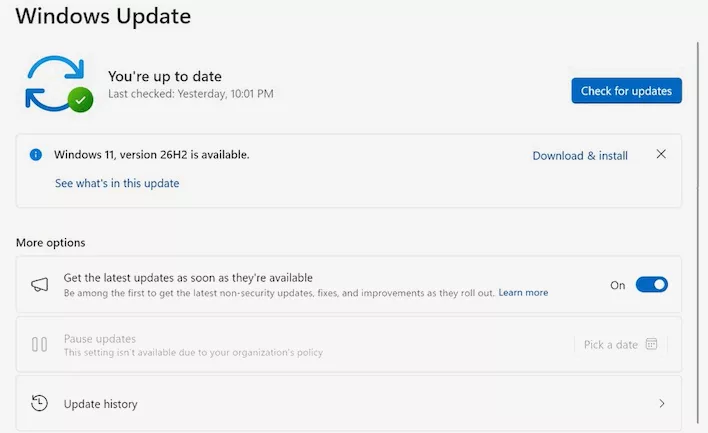
Microsoft has officially released the Windows 11 2026 Update, version 26H2 (build 26300). While the marketing focus remains on productivity and AI-driven File Explorer features, the real story lies in the underlying optimizations. Independent testing indicates that 26H2 provides a substantial performance boost, specifically through reduced idle memory overhead and fewer UI micro-stutters, potentially revitalizing resource-constrained hardware.
Memory Management and System Responsiveness
The most impactful change is how the OS handles system resources. Reports from Windows Latest show that cold-boot memory allocation has dropped from approximately 10 GB to around 7 GB. Under heavy multitasking stress tests, where previous builds often hit their RAM ceiling, 26H2 maintains utilization below 90%. Users on Reddit have also corroborated this, reporting a reduction in background memory usage of about 2 GB.
This shift toward optimization is a pragmatic response to rising memory costs and the heavy resource demands of modern web-wrapper frameworks like Electron. By optimizing WinUI frameworks and OS-level memory compression, Microsoft is making 16 GB systems feel more spacious. Additionally, the update incorporates a Low-Latency Profile: when triggering the Start menu or Windows Search, the CPU briefly spikes to maximum frequencies to complete rendering tasks instantly before returning to idle, effectively eliminating input lag without sacrificing long-term power efficiency.
Features and UI Customization
Beyond the kernel-level improvements, 26H2 introduces several user-facing enhancements:
- File Explorer & Search: Native AI actions for images, document summarization for OneDrive and SharePoint, and improved fuzzy-matching in the search stack to better handle typos.
- Taskbar & Start Menu: Restored flexibility with new taskbar positioning (including side-of-screen options) and expanded layout sizing for the Start menu.
- Accessibility: Granular zoom steps for Magnifier and expanded Voice Access capabilities for Copilot+ hardware.
Because 26H2 is distributed as an enablement package, the installation is lightweight, requiring only a single reboot on up-to-date systems. It shares the same core servicing branch as versions 24H2 and 25H2.
Availability and Support
The update is being rolled out with a retroactive start date of September 29, 2026. Home and Pro editions will receive 24 months of support, while Enterprise and Education editions are backed for 36 months. To upgrade, navigate to Settings → Windows Update, enable the toggle for "Get the latest updates as soon as they're available," and click "Check for updates."
Гика
