

SteamOS on Mac: Modders Bring Full OS to Apple Silicon
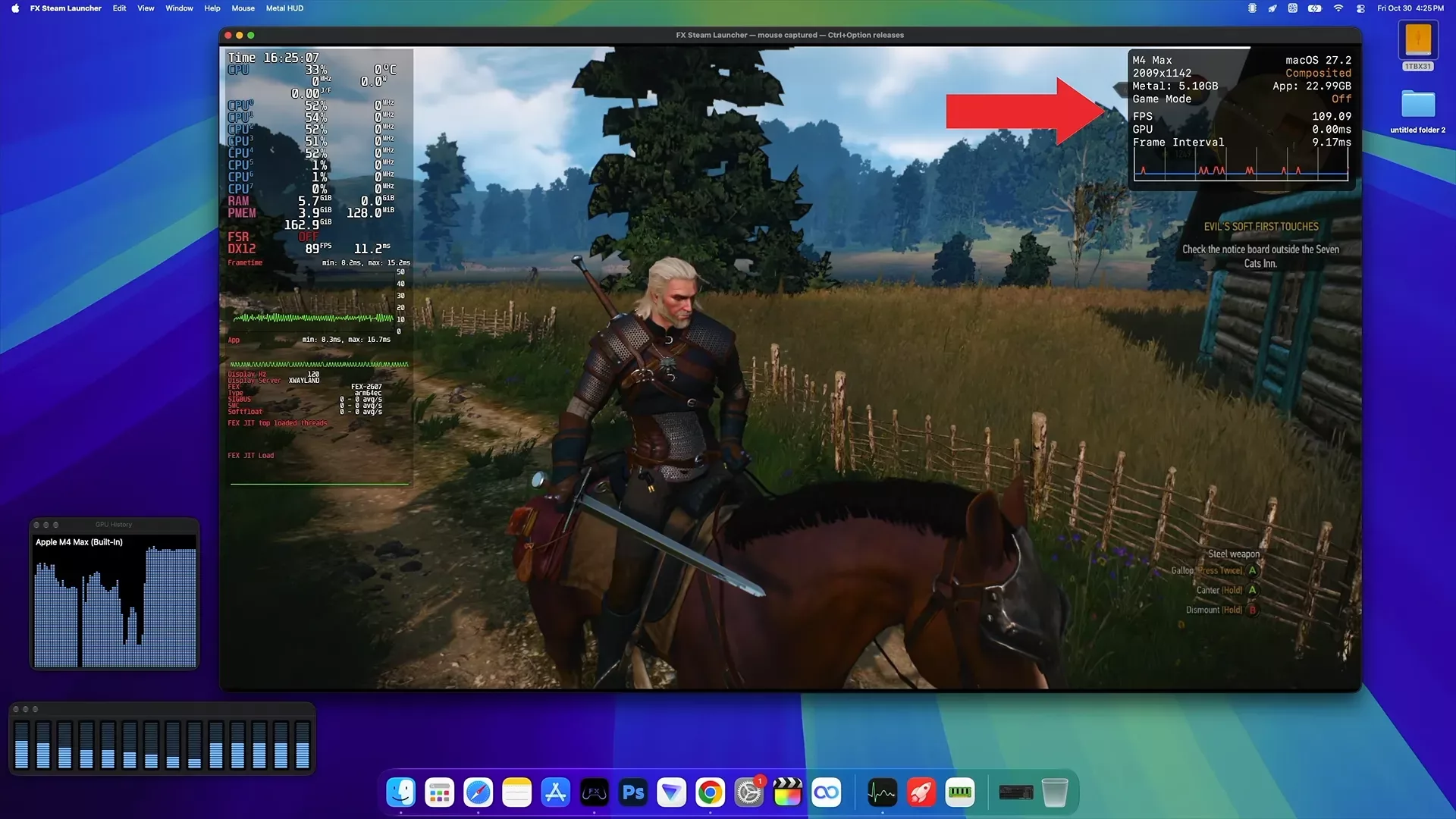
In a significant move for the enthusiast community, an independent project called FX Steam Launcher has successfully brought Valve's SteamOS to Apple Silicon Macs. By running the official SteamOS ARM64 version within a virtual machine, modders have enabled the full Steam gaming interface and Windows game compatibility on macOS, utilizing Apple's hardware acceleration.
The implementation relies on Apple's Hypervisor.framework and libkrun to run SteamOS inside a virtual machine, a method similar to how DroidDeck operates on Android. This setup supports the SteamOS Gaming Mode, KDE Plasma Desktop Mode, and full controller support. Crucially, it provides GPU acceleration, allowing users to run SteamOS in a window or fullscreen mode while maintaining access to the underlying macOS environment.
The Translation Layer Stack
To bridge the gap between Windows games and ARM-based hardware, the launcher employs a complex translation stack. Windows games run via Proton 11 for ARM64 and FEX, which translates x86 instructions to ARM64. For graphics, DirectX 9, 10, and 11 titles utilize DXVK, while DirectX 12 games rely on vkd3d-proton. These instructions are then passed through Mesa Venus and either MoltenVK or KosmicKrisp before reaching Apple's Metal API. Additionally, experimental DXMT support is being tested to allow DirectX 10 and 11 games to bypass the Vulkan layer and communicate directly with Metal.
However, there are notable technical caveats. While the launcher supports macOS 15 or newer, the KosmicKrisp implementation requires macOS 26 or later to provide DirectX 12 feature level 12_0 support. Currently, games requiring feature level 12_1 or Shader Model 6.6 remain unsupported.
Performance Benchmarks on M4 Max
Performance testing conducted by YouTuber ETA Prime on a MacBook Pro with an Apple M4 Max (14-core CPU, 32-core GPU, 36GB unified memory) shows significant potential alongside existing hurdles. In Left 4 Dead 2, the system achieved over 200 FPS at 1080p High settings. The Witcher 3 (original version) maintained 70+ FPS at 1080p High, and Stellar Blade reached 70+ FPS at 800p High. Other titles like Grand Theft Auto IV saw upwards of 100 FPS, while Skyrim and Fallout 4 performed around the 60 FPS mark.
- Left 4 Dead 2: 200+ FPS (1080p, High)
- The Witcher 3 (original): 70+ FPS (1080p, High)
- Stellar Blade: 70+ FPS (800p, High)
- Fallout 4: ~60 FPS (1080p, Medium, capped)
- Skyrim: ~60 FPS (1080p, High)
- Grand Theft Auto IV: 100+ FPS (1080p, Medium)
The experience is not yet seamless. Issues include shader compilation stuttering in titles like Marvel vs. Capcom: Infinite, rendering errors in The Witcher 3, and complete launch failures for games like DOOM Eternal, Marvel's Spider-Man: Miles Morales, and Ghost of Tsushima. For optimal performance, it is recommended to allocate at least 24GB of RAM to the virtual machine to avoid heavy memory swapping, which was observed during testing on lower-memory configurations.
Гика
