

Xbox, PS5, or Switch 2: New Plugins Bring Console Interfaces to Steam Deck
Steam Deck users can now radically change the look of SteamOS. Thanks to new unofficial plugins, the device's interface can now resemble the menus of Xbox Series X|S, PlayStation 5, or even Nintendo Switch 2.
A GitHub user named kromossomom-debug has released three open-source projects that replace the standard SteamOS home screen with alternative shells. These modifications do not affect software compatibility: Xbox, PlayStation, or Nintendo games will still not run on the Steam Deck, but the visual navigation experience is significantly altered.
Design Options: From Xbox Tiles to PS5 Menus
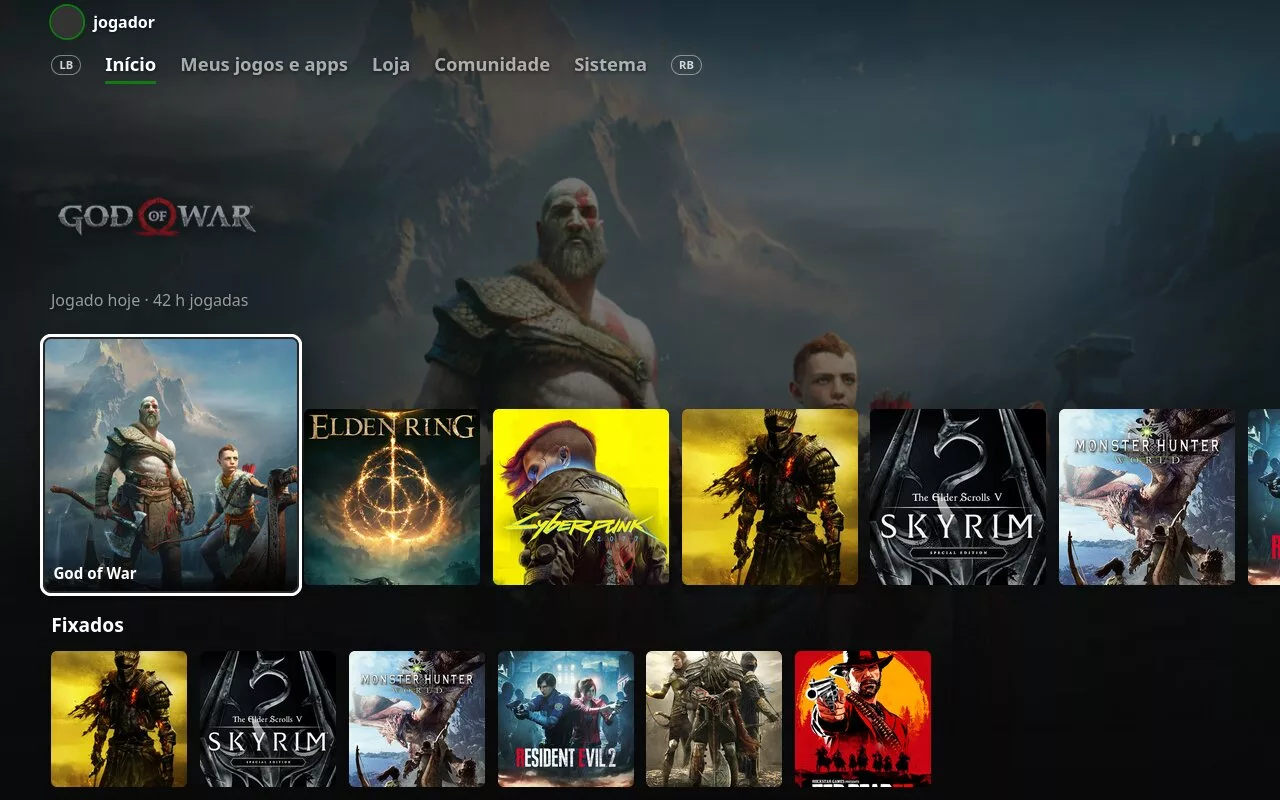
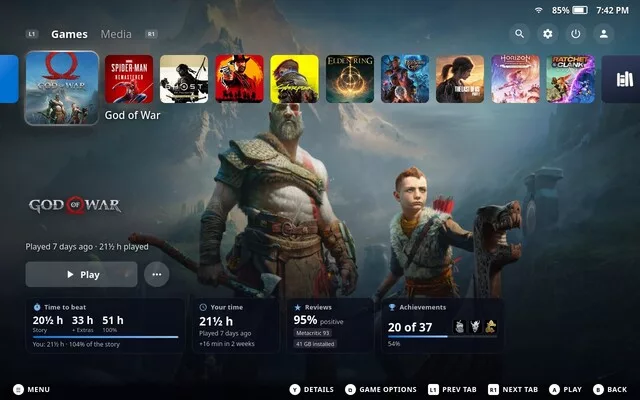
Each plugin offers a distinct approach to navigation. The Xbox Dashboard recreates the tile layout of the Xbox Series X|S: using the shoulder buttons, users can switch between Home, Games, Apps, Store, Community, and System sections. Additionally, pressing the Y button opens a detailed game view, including achievements and estimated playtime from HowLongToBeat. The PS5-style dashboard focuses on a horizontal game layout with large background images, mirroring Sony's console aesthetic. For those who prefer Nintendo, the Switch 2 Dashboard provides an alternative with signature square tiles and light or dark color schemes.
Installation and Current Status
To use these modifications, Decky Loader is required. Installation involves downloading the respective ZIP files via the Decky Loader developer mode. It is important to note that these projects are in early development stages—for instance, the Xbox Dashboard is currently at version 0.0.9-alpha. Users should avoid activating multiple dashboards simultaneously to prevent conflicts, as they attempt to modify the same interface elements. Furthermore, any changes to SteamOS itself may impact the stability of these plugins.
Гика
