

Microsoft Surface Laptop Ultra RTX Spark Review: The 2000-nits Mini-LED Panel is a Problem
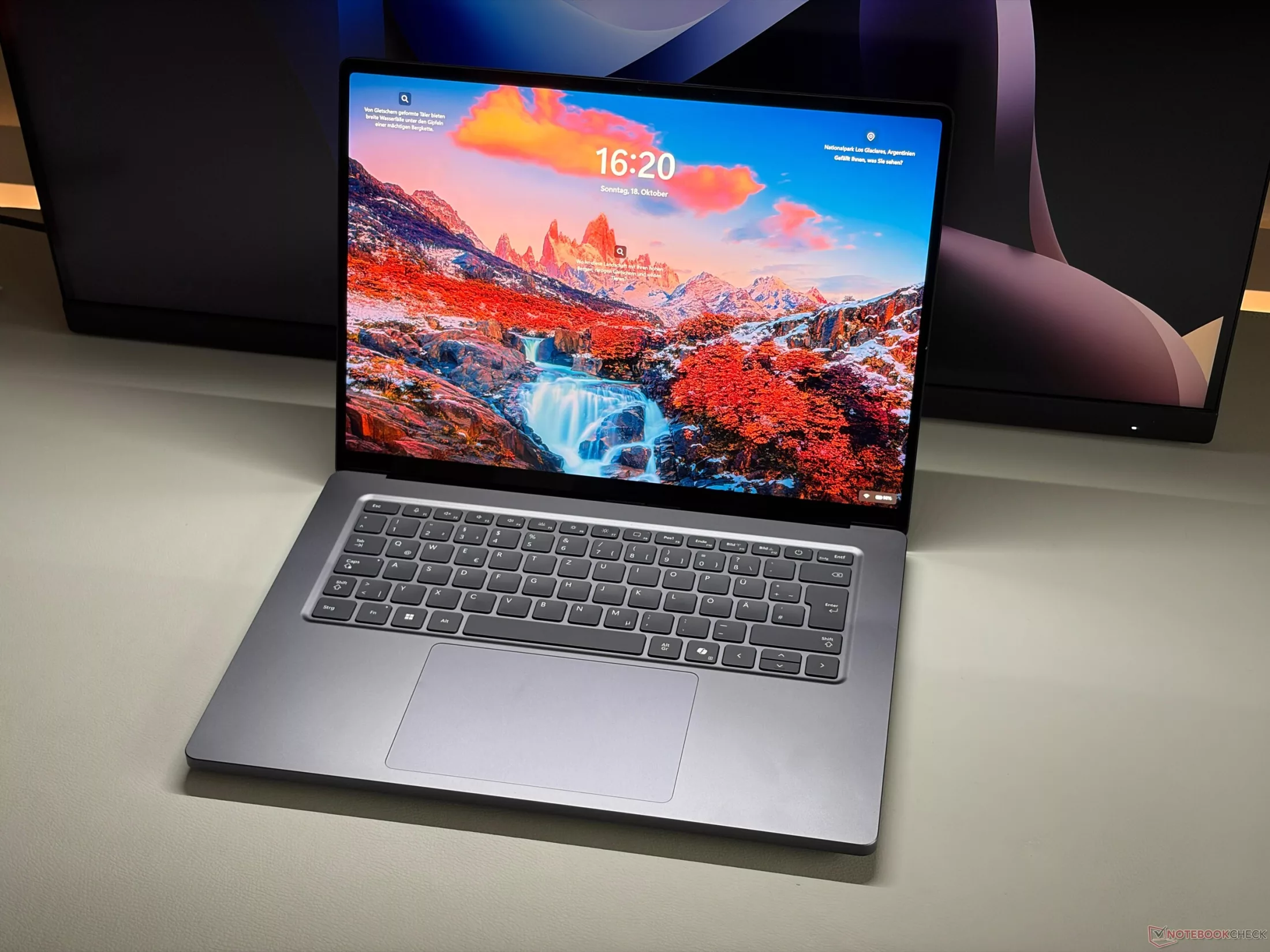
The new Microsoft Surface Laptop Ultra was intended to be an over-engineered flagship, a device without compromises. Equipped with the Nvidia RTX Spark N1X SoC based on the Blackwell architecture, it aims to be the most powerful machine in the Surface lineup. However, in practice, that promise of
The Mini-LED Issue: Brightness Without Depth
The primary technical contradiction of this device lies in its Mini-LED panel. On one hand, the brightness figures are staggering: peak HDR brightness exceeds 2,000 nits, and SDR brightness stays above 1,000 nits, placing it alongside top-tier competitors like the MacBook Pro 16. Color accuracy is also exceptional, with nearly 100% coverage of the P3 gamut.
On the other hand, the implementation of the Mini-LED technology is disappointing. Unlike its rivals, this panel lacks effective local dimming. Consequently, it behaves more like a standard IPS screen with high brightness: black levels appear washed-out (measured at 0.61 cd/m²), and contrast suffers. This is further exacerbated by slow response times, leading to visible ghosting even at a 120 Hz refresh rate—a significant drawback for gamers and video professionals.
Performance and the ARM Architecture
Under the hood, the 20-core Nvidia RTX Spark N1X processor delivers impressive performance. In benchmarks, it rivals the Asus ProArt P16 and significantly outperforms current Intel and AMD chips in multi-core workloads. Thanks to the unified memory architecture (supporting up to 128 GB of LPDDR5x), the Blackwell GPU handles ray tracing tasks with ease, approaching the capabilities of desktop-class hardware.
However, the transition to ARM within the Windows ecosystem still presents hurdles. We encountered compatibility issues with certain games and applications, as well as performance penalties during emulation. That said, the system remains highly responsive, and the PCIe 5.0 SSD provides massive data throughput.
Build and Ergonomics
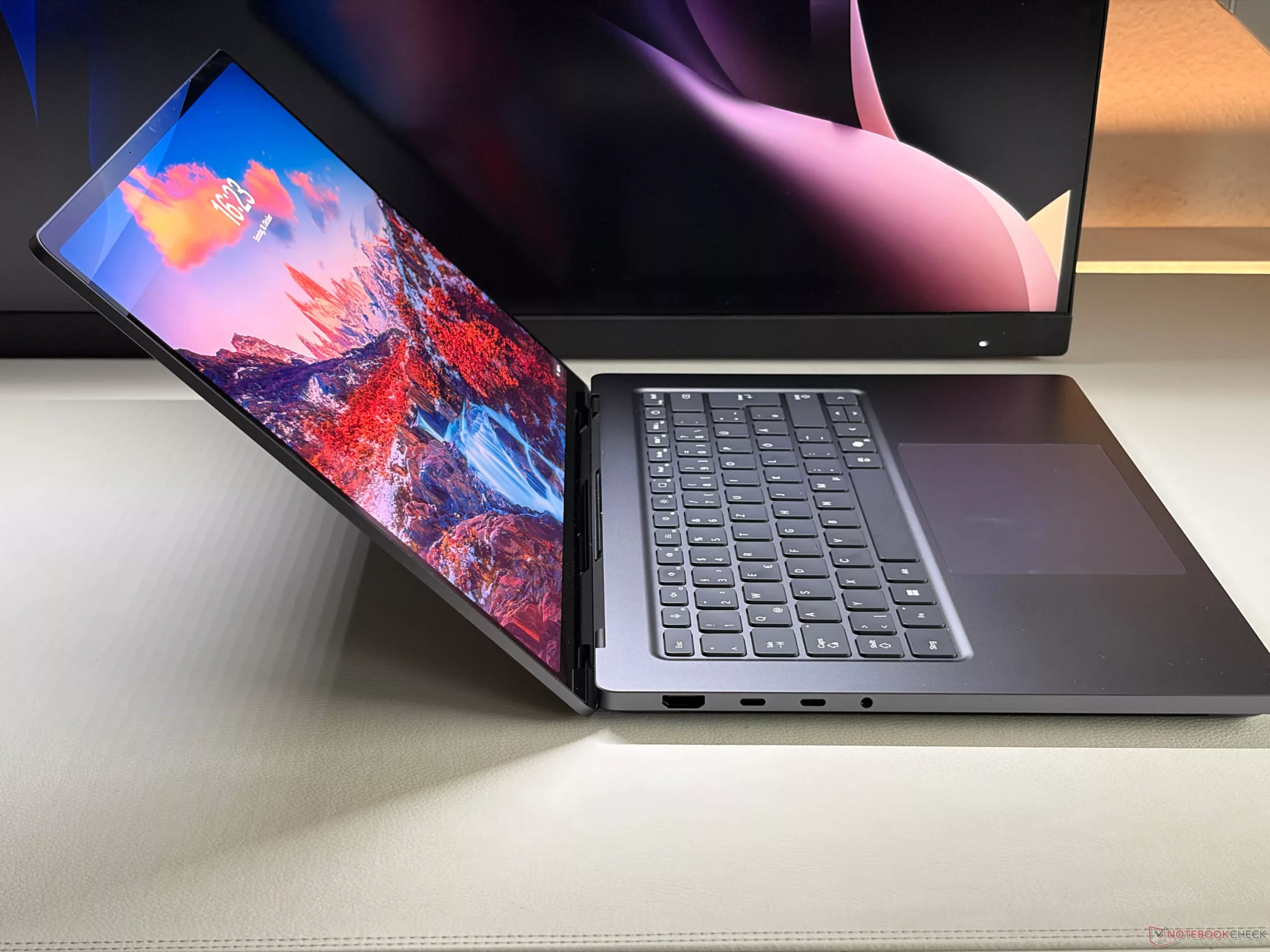
The metal chassis boasts excellent build quality, but the device feels bulky and heavy at 2 kg compared to its competitors. The design is somewhat inconsistent, with the base having a slightly smaller footprint than the lid. Additionally, the hinges feel a bit wobbly, and the lack of a notch on the base makes opening the lid with one hand somewhat difficult.
Regarding connectivity, Microsoft emphasizes its proprietary magnetic USB-C connector. While convenient, its orientation can block the adjacent USB-A port. Furthermore, the lack of SD-Express support may be a dealbreaker for some content creators.
Verdict
The Surface Laptop Ultra is a powerhouse with solid battery life (roughly 10 hours of web surfing) and exceptional raw performance. However, given the premium price tag, the flawed Mini-LED implementation and ergonomic quirks raise questions about whether the product's priorities align with its target audience.
Гика
